Tractivvity · Feature guide · Gran Turismo 7
Tractivvity Insights
The coach that reads your telemetry and writes back — in four different shapes, depending on what you are asking.
What Insights actually is
Everything else in Analyze shows you your data. Insights reads it. You point it at a lap, it pulls the telemetry — not a summary of the telemetry, the samples themselves — and it writes you a short report about what you did and what to change.
It is the same engine every time. What changes is how much of the lap it looks at and how narrow the question is, and that is what the four buttons across the top of the panel are for.
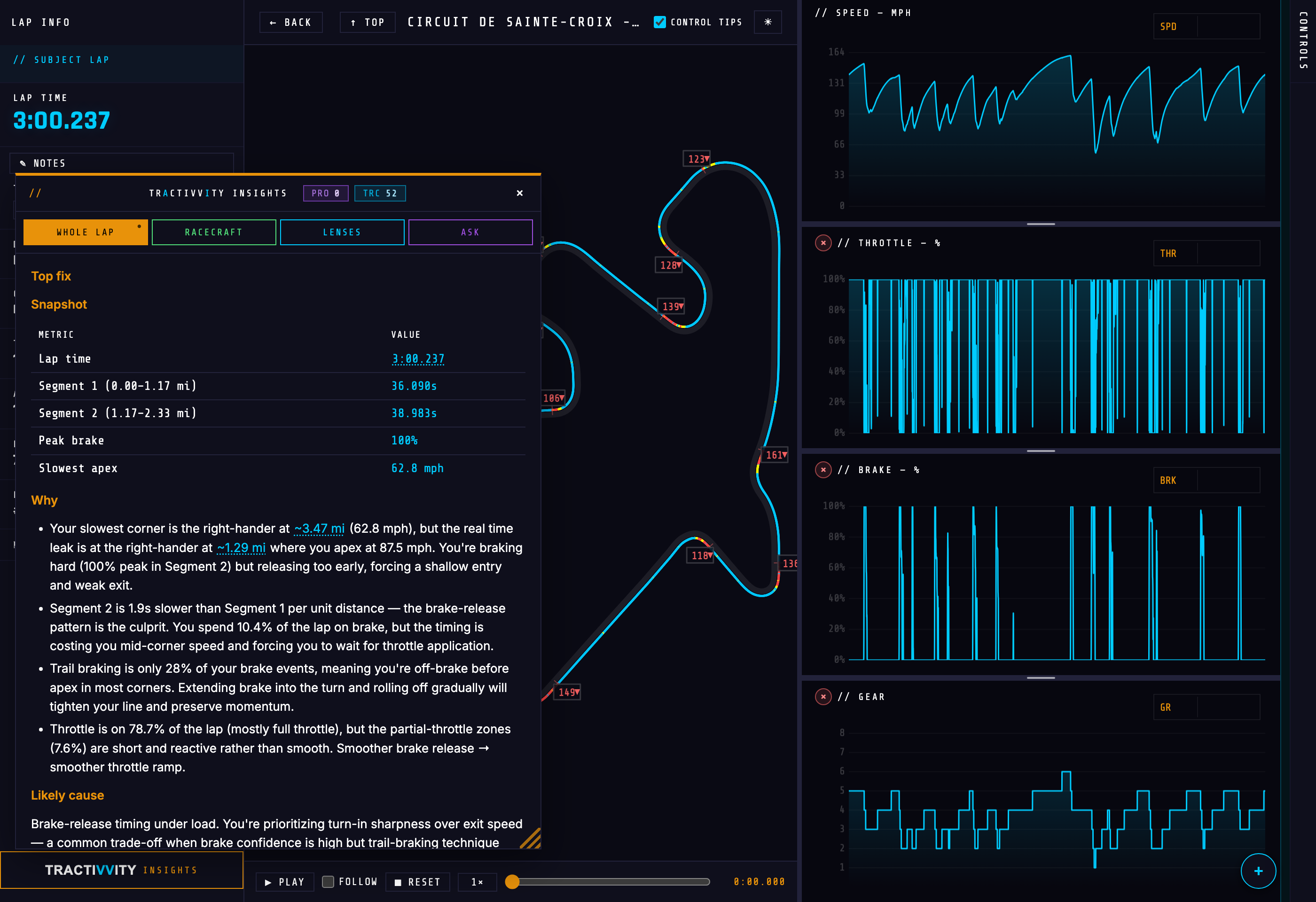
Insights is not a Pro feature. It runs on credits rather than on your plan: a free account is given a pot at signup, Pro accounts are topped up every month, and you can buy more at any time. A report's price depends on how much telemetry it has to read: a whole-lap review is one of the cheapest, and an open question in Ask is the most expensive, because it cannot know in advance which channels it will need and reads far more of the lap to be safe. Your balance sits in the panel header, so you always know where you stand.
On your phone
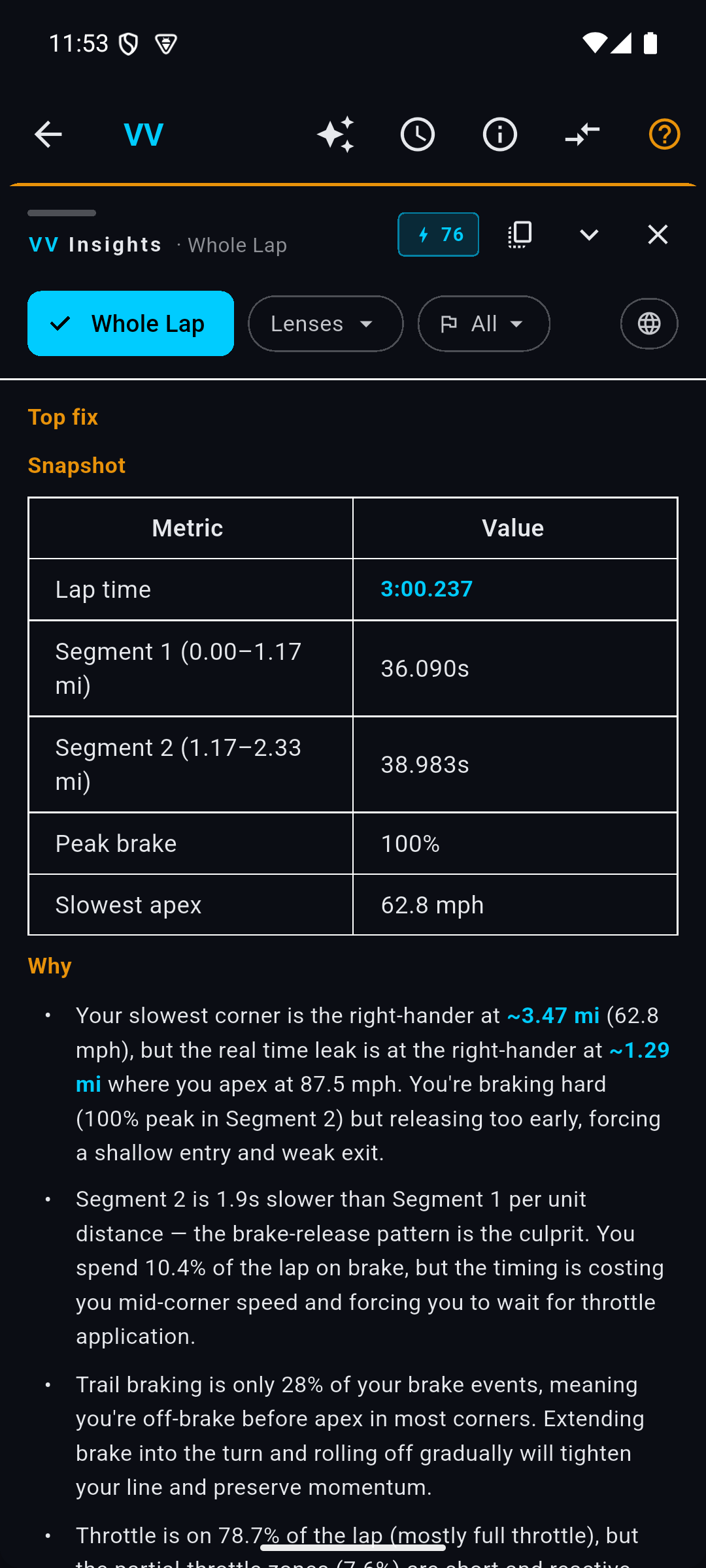
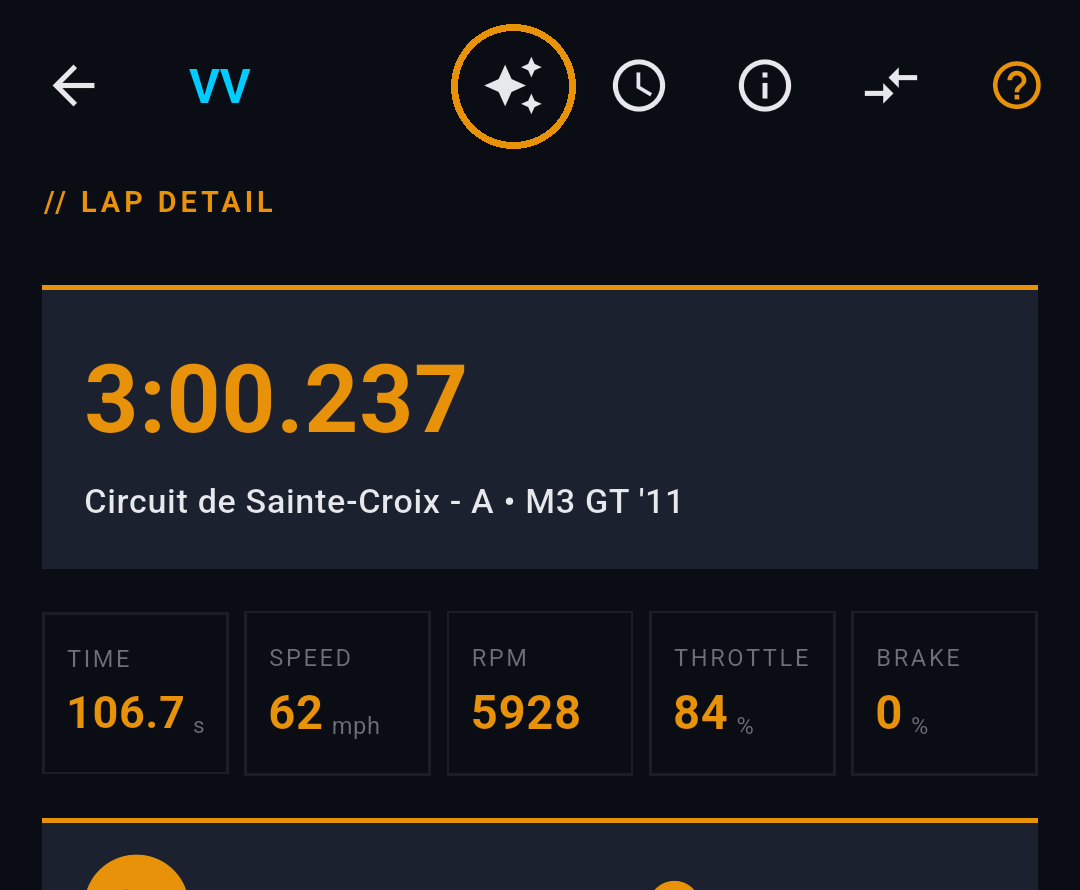
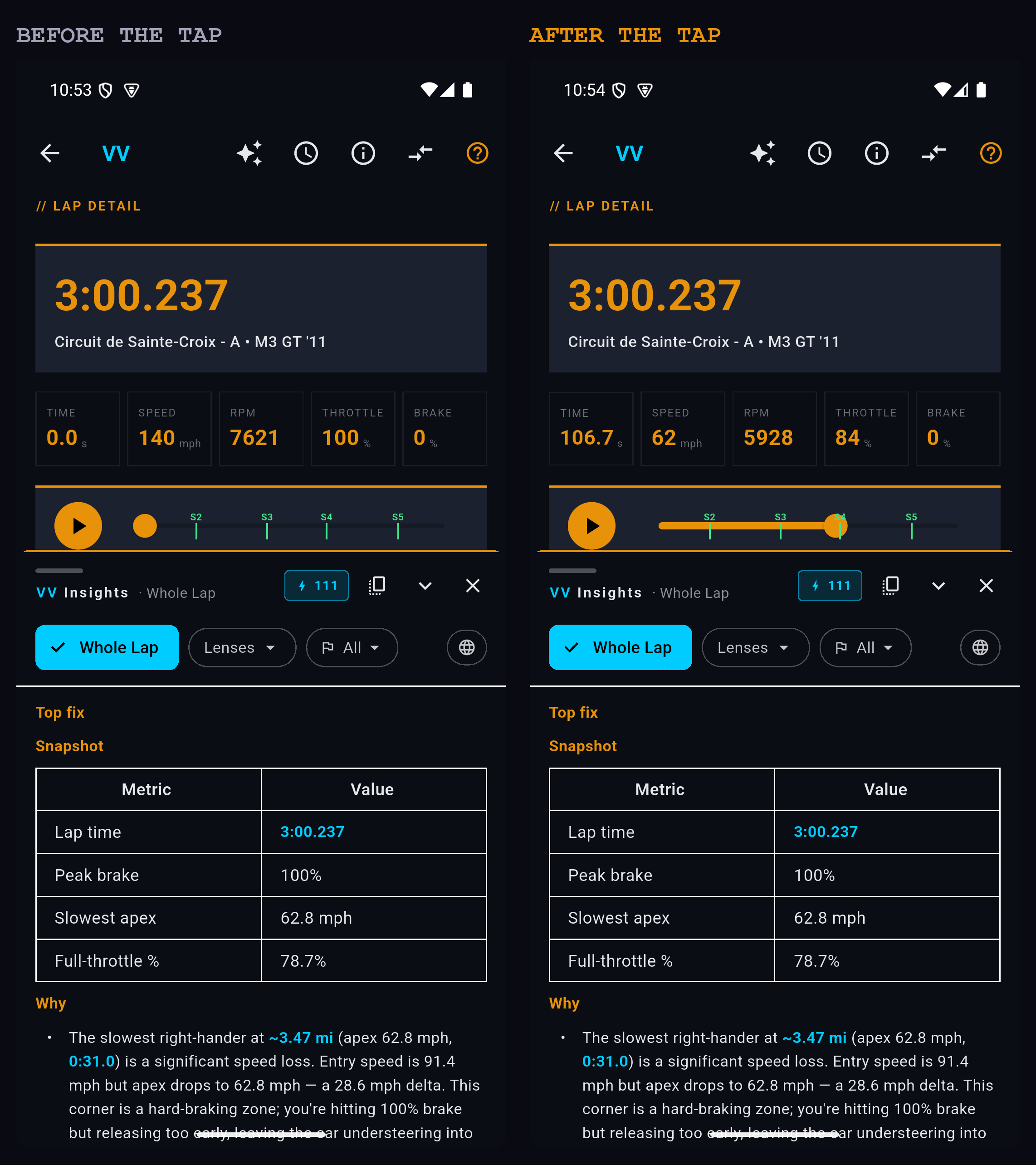
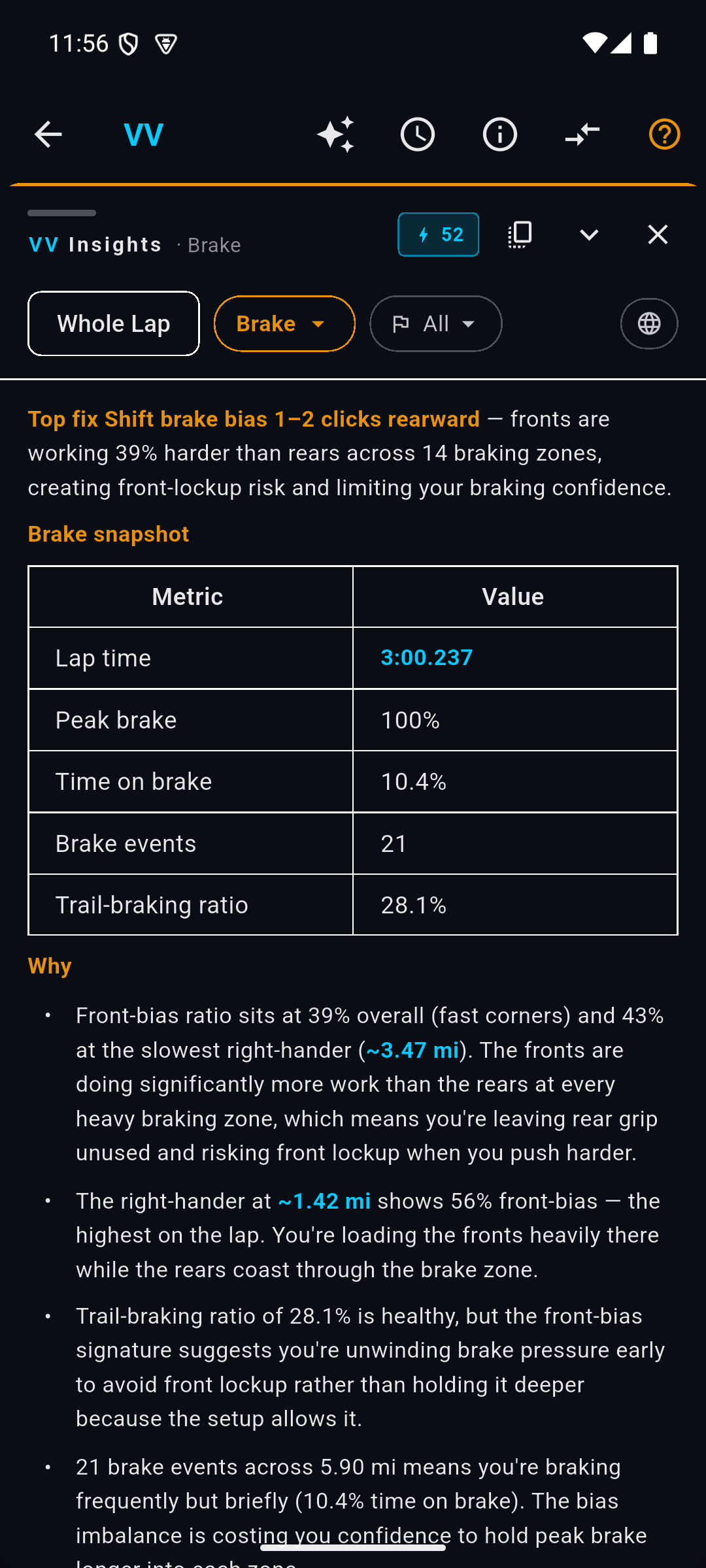
Insights is in the app as well, on the same laps. Open a lap and it is behind the ✦ in the top bar.
The drawer opens about halfway up and drags — take the handle at its top edge and pull it toward the status bar. It stays where you put it, so a long report is a drag away from filling the screen rather than something you scroll in a letterbox.
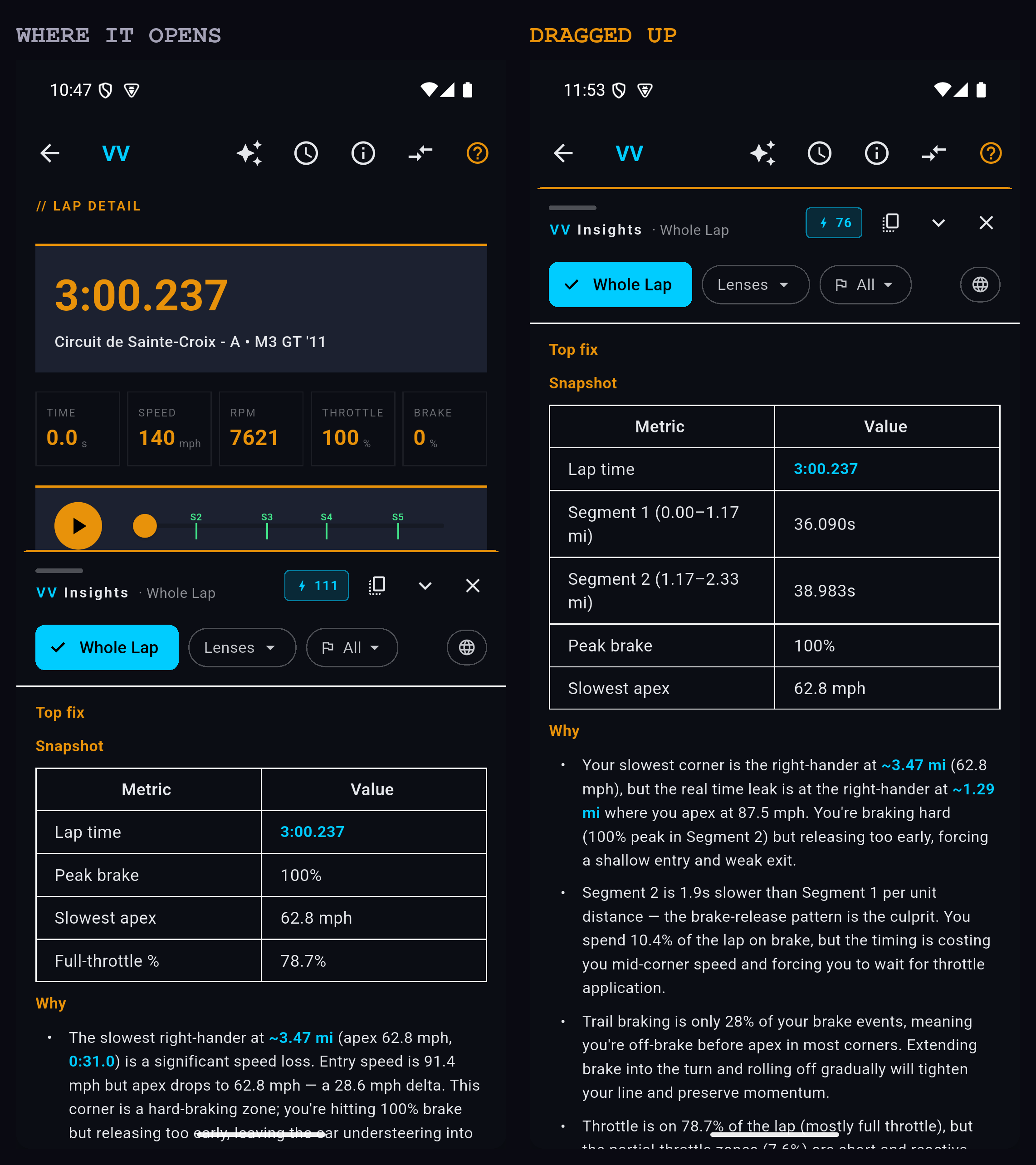
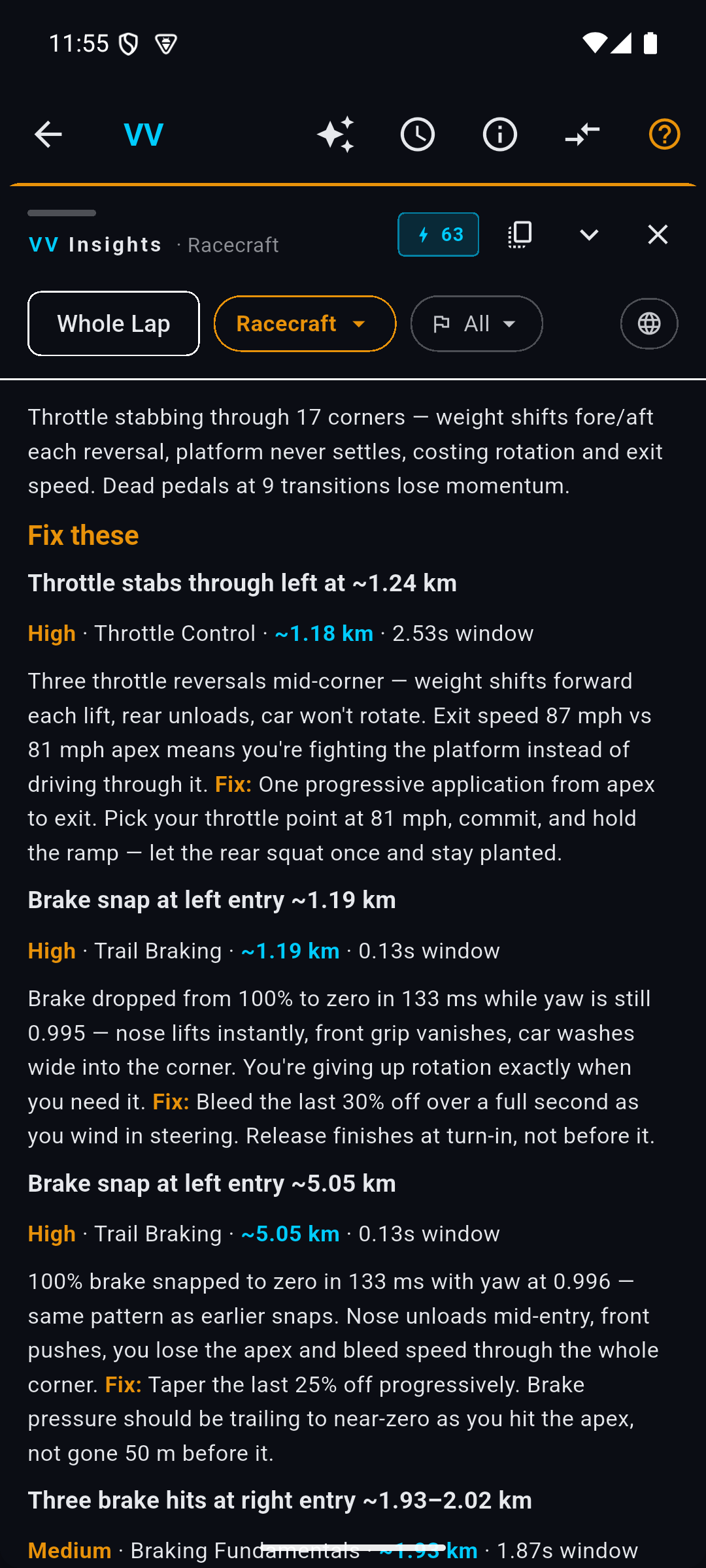
You get Whole Lap and the full lens catalog, Racecraft among them, each able to be narrowed to a single segment, with your credit balance in the same place. The one thing that stays on the web for now is Ask. Every figure below can be switched between the two.
Whole Lap BASIC
The place to start. Whole Lap reads the entire lap looking for the single biggest opportunity in it, and puts that at the top — so the first thing you read is the thing most worth taking into your next session.
The shape is always the same, and it reads top to bottom as an argument. Top fix states the change in one sentence with the number behind it. A short table gives the lap's headline figures. Why lays out the evidence corner by corner. Likely cause says what is behind the pattern rather than just naming it, and Verify next tells you what to look at to confirm it.
It is deliberately opinionated. You are not handed a list of twelve things that were slightly off; you are told which corner is costing you the most and what to do about it.
Then it ends with Dig deeper — two or three named lenses, each with the reason to run it and the corners to run it on. That is the intended route through the feature: the whole-lap report finds the thread, and hands you the tool for pulling it.
The report is clickable BASIC
This is the part that is easy to miss, and it is the thing that makes the report worth more than the same words in an email.
Every time a report cites a place on the track or a moment in the lap — ~1.24 km, 3:00.237, the left-hander it keeps going on about — that citation is a link. Click it and the lap replay jumps straight there. The map, the chart, the trace and the readouts all move with it.
So the report stops being something you read and start being something you drive through. It says you are lifting too early at 1.24 km; you click 1.24 km; you are now looking at your own throttle trace at exactly that point, with the corner on the map beside it. The claim and the evidence are one click apart.
Every citation in a report is checked against your actual telemetry before the report reaches you. A link you can click is a point your own data confirmed — so when a report sends you somewhere on the lap, there is something there to look at.
Racecraft BASIC
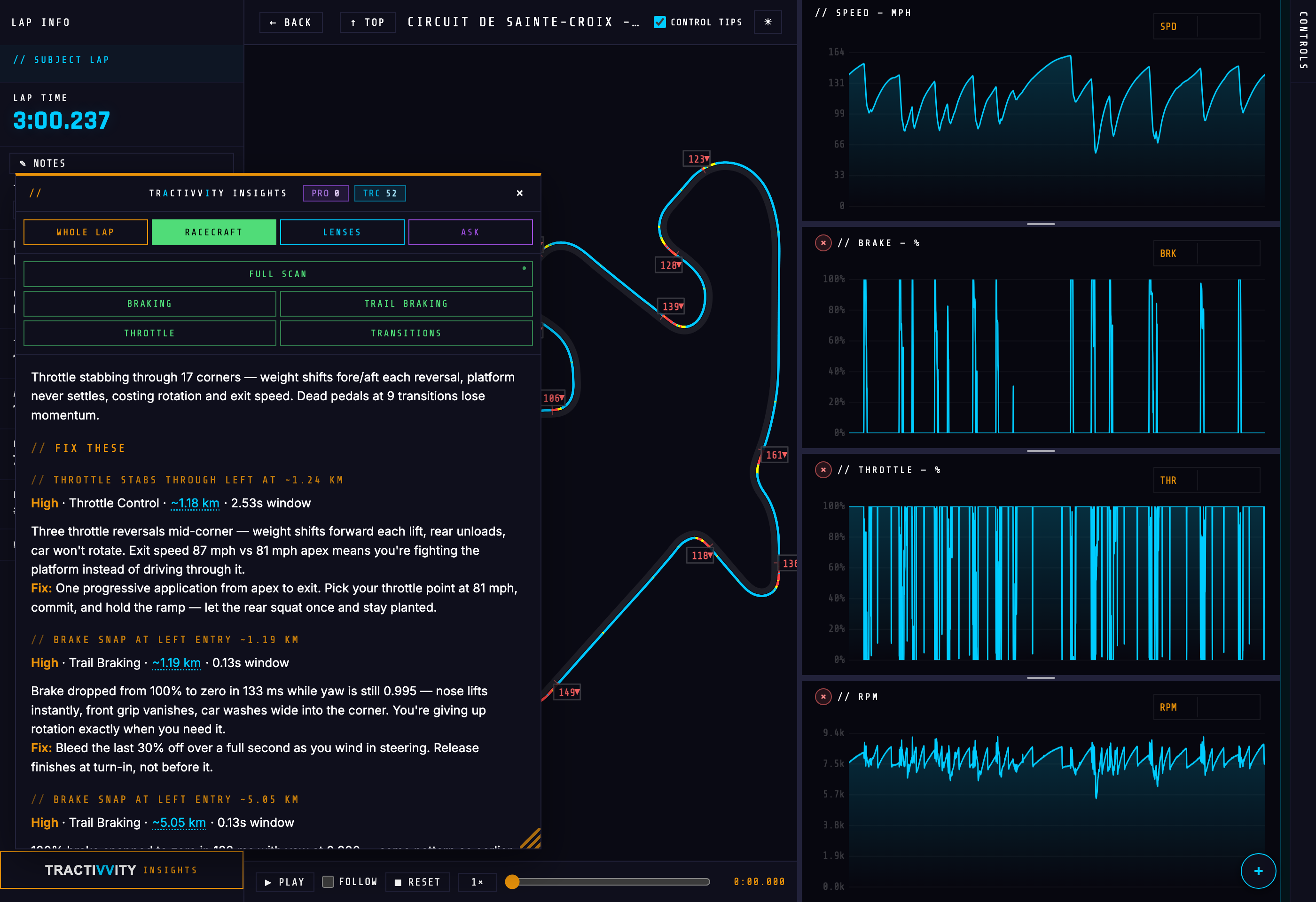
Where Whole Lap asks "what is costing me time", Racecraft asks a narrower and more useful question: what are my hands and feet doing wrong, over and over?
It does not summarise the lap. It finds repeated events — a brake released too abruptly, a throttle stabbed rather than rolled — and reports them as a list of habits, each with a severity, the technique it belongs to, the point on track where it happened, and how long the mistake lasted.
The report splits in two: Fix these and Keep this up. The second half matters more than it looks. Telemetry review has a way of turning into a list of faults, and knowing which of your habits are already good is how you avoid breaking them.
The four topic chips — Braking, Trail Braking, Throttle, Transitions — are worth using once you know what you are working on. A full scan tells you everything at once; a topic scan gives you a session's worth of one thing.
Lenses BASIC
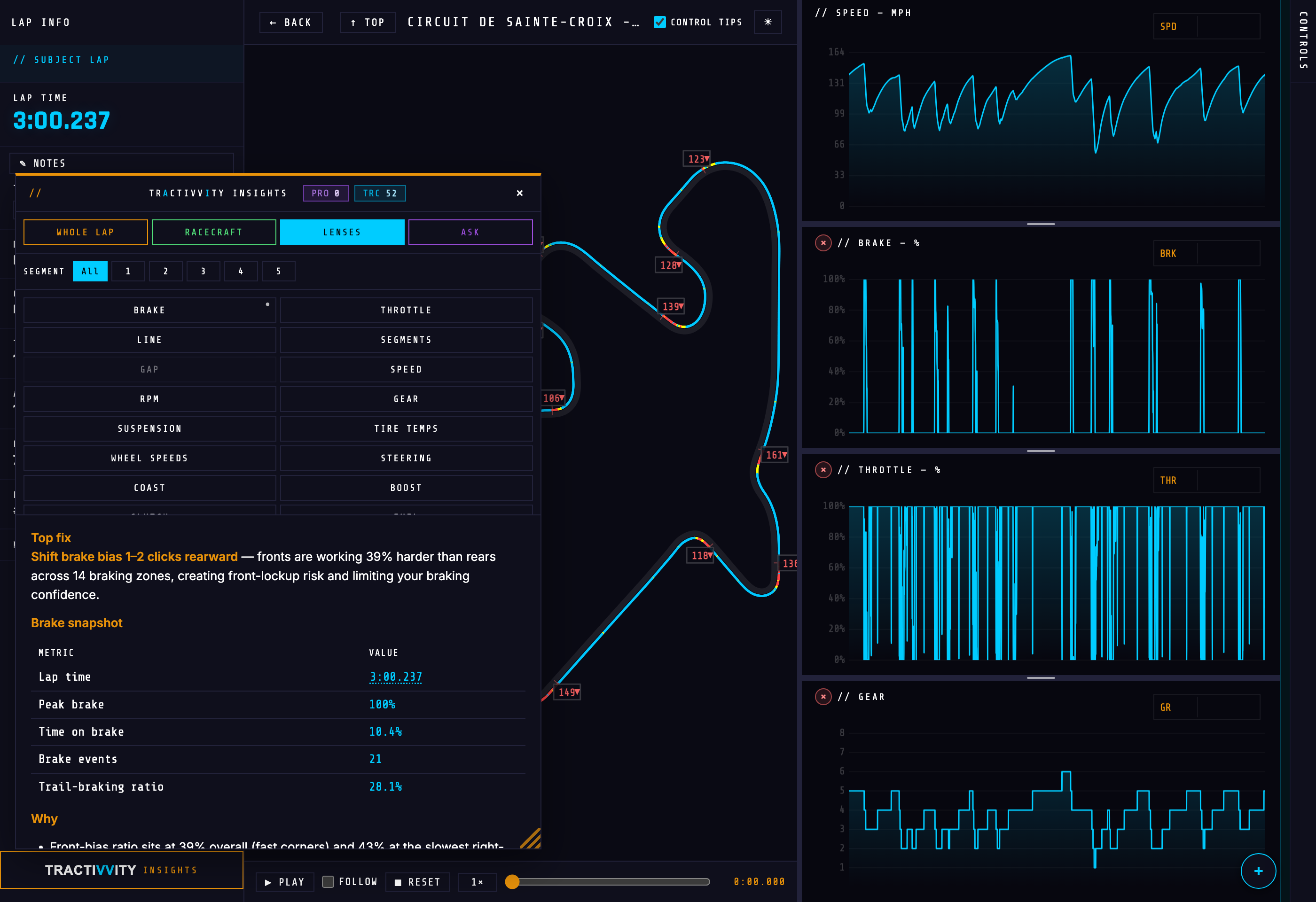
Twenty-odd single-subject reports. Each one reads a specific channel and writes about that and nothing else — Brake, Throttle, Line, Segments, Speed, RPM, Gear, Suspension, Tire Temps, Wheel Speeds, Steering, Coast, Boost, G-Force, and more.
One thing about the catalog is worth knowing before you use it: any lens can be narrowed to a single segment. The SEGMENT row above the grid sets the scope. Leave it on All for the whole lap, or pick a segment and the next lens you press reads only that stretch of track. A brake report on one corner is a very different document from a brake report on a whole lap.
Running a report costs credits, so every mode asks you to confirm with a ✓ before it spends anything. But a report you have already run is kept: its button carries a small dot, it skips the confirmation entirely, and re-opening it costs nothing. Going back over yesterday's lens reports is free for as long as they are held.
Ask BASIC
When none of the above is the question you actually have.
Ask puts the lap's telemetry behind a free-form question. "Where did I do well?" is a genuinely different report from anything the fixed modes produce, because none of them are built to tell you what is already working across the whole lap.
It is the most expensive mode, for a simple reason: a fixed lens knows in advance which channels it needs, and an open question does not, so Ask reads far more of the lap to be safe. If the question you have fits a lens, the lens is cheaper and usually sharper. Ask is for the questions that do not fit.
The Need ideas? toggle under the box has examples if you are not sure what to ask it.
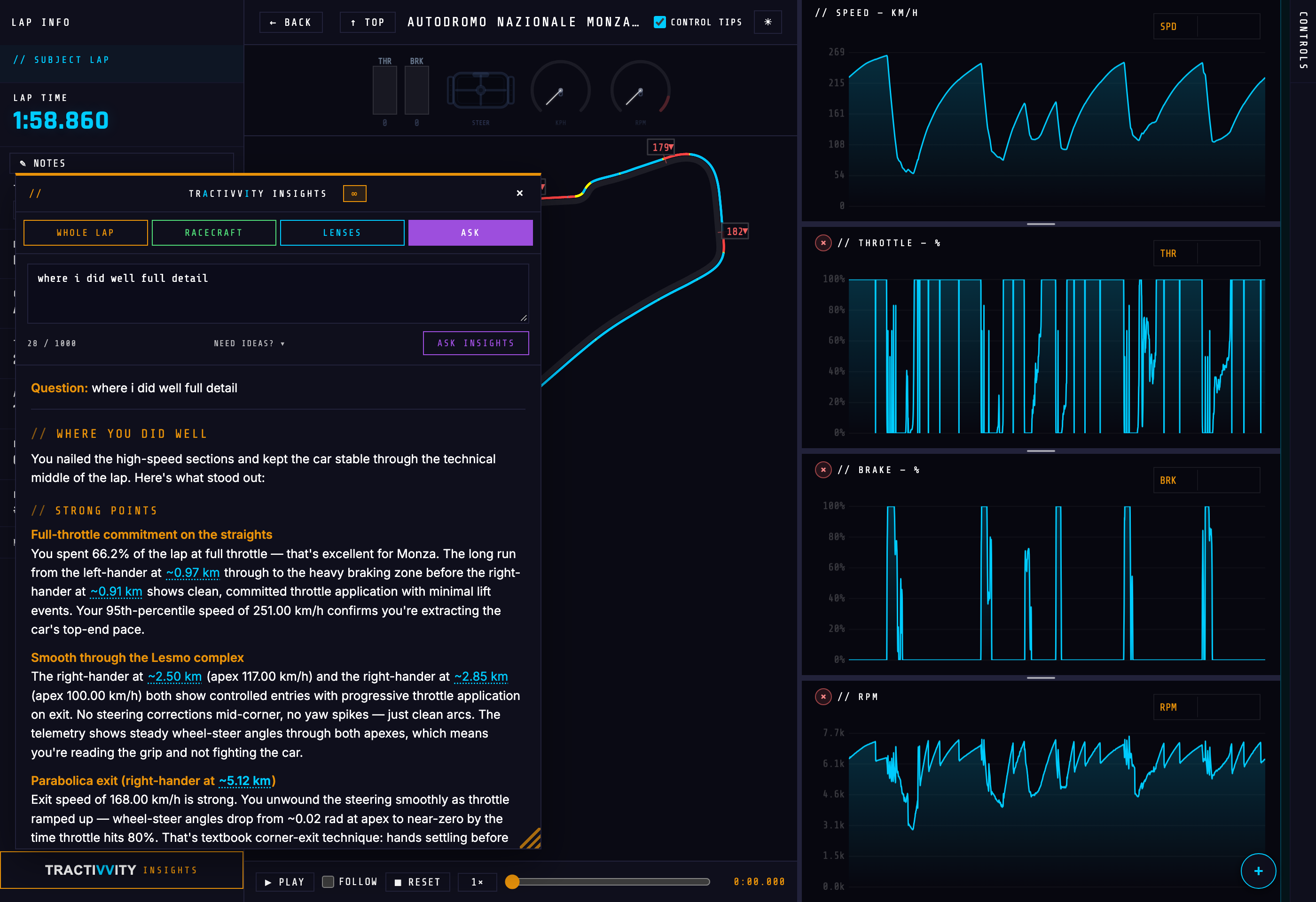
Ask is the one part of Insights that lives only in the portal today. Everything else — Whole Lap, Racecraft, the whole lens catalog — is on the phone as well.
Where else it shows up
Insights is not only an Analyze feature. The same engine writes the post-lap debrief on your phone and the coaching you hear while you are driving. What you are reading here is its longest and most detailed form — the version that has a big screen, your full telemetry and no hurry.