Tractivvity · Feature guide · Gran Turismo 7
Practice Mode
You pick a track, you pick a car, and you run it until it is right. Practice Mode keeps those laps together, so the whole run can be read as one thing instead of forty separate rows in your telemetry list.
Arm Practice Mode before you drive. Every lap you capture while it is on gets stamped with the same session id. The server then builds you an ideal lap — your fastest time in each segment, stitched into one — and tells you how far your best real lap is from it. That number is the one you can close today, without learning anything new.
What it is for
A practice run produces one row per lap. Forty laps at Le Mans in the same car is forty rows that look identical, and the only one you ever open again is the fastest. The other thirty-nine are where the answer is.
Grouping them changes what can be asked of them:
One lap at a time
“My best lap here is a 4:30.3.” True, and it does not tell you what to do next.
A session
“Your best is 4:30.3 and your ideal is 4:28.7. You have already driven every piece of a 4:28.7 — on seven different laps.”
That second sentence is the whole feature. The rest of this guide is how to get it.
Three things that are always true
- One session is open at a time, per account. Whichever device armed it, that is the session new laps attach to, until something closes it.
- Every lap carries its own segment times. The ideal lap is the fastest of those times in each segment, taken across the whole session.
- Sessions hold your own laps. Benchmark laps are left out of the ideal-lap maths, so a reference lap can never be stitched into your own ideal.
Turning it on
Three ways in, depending on where you capture from. All three end up in the same place.
1 · The desktop agent
The agent runs in the menu bar on macOS and the system tray on Windows. Click the Tractivvity icon and the toggle is in the middle block, under the capture switches:
Private Session (laps stay off public views)
Practice Mode (group laps for comparison)
Clicking it opens a session on the server and puts a checkmark next to the item. Every lap the agent captures from that moment goes up tagged with the session id. Click it again to close the session.
Same toggle on macOS and on Windows, in the same place.
It is armed for the life of the agent. Quitting or restarting the agent leaves Practice Mode off next launch — the session itself stays open on the server, and you can close it from the web or the phone. It does not ask for a name. Sessions started from the agent are listed by their track and start time until you rename them.
2 · The phone app
On the capture screen, in the block with the other capture switches:
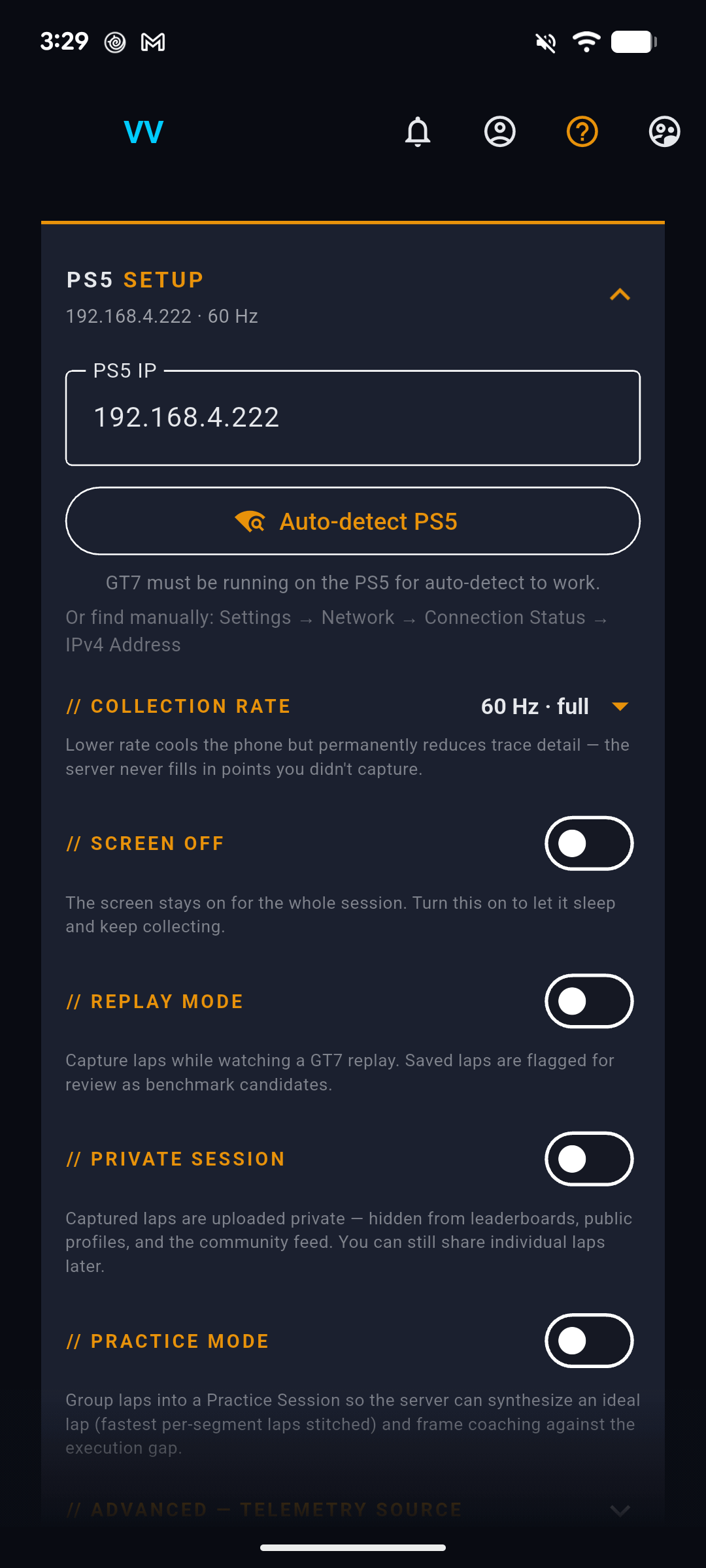
The app does more around the switch than the agent does. Turning it on asks what to call the session:
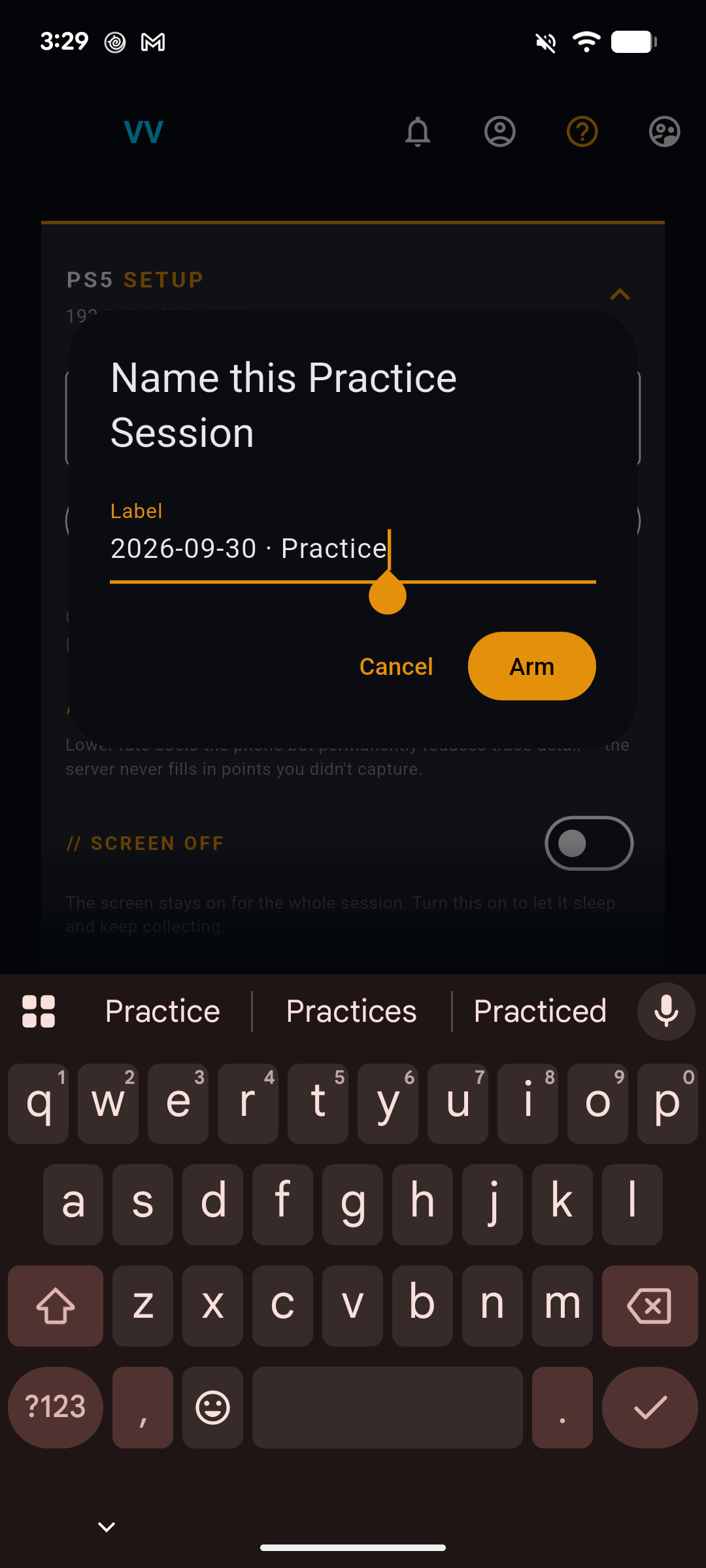
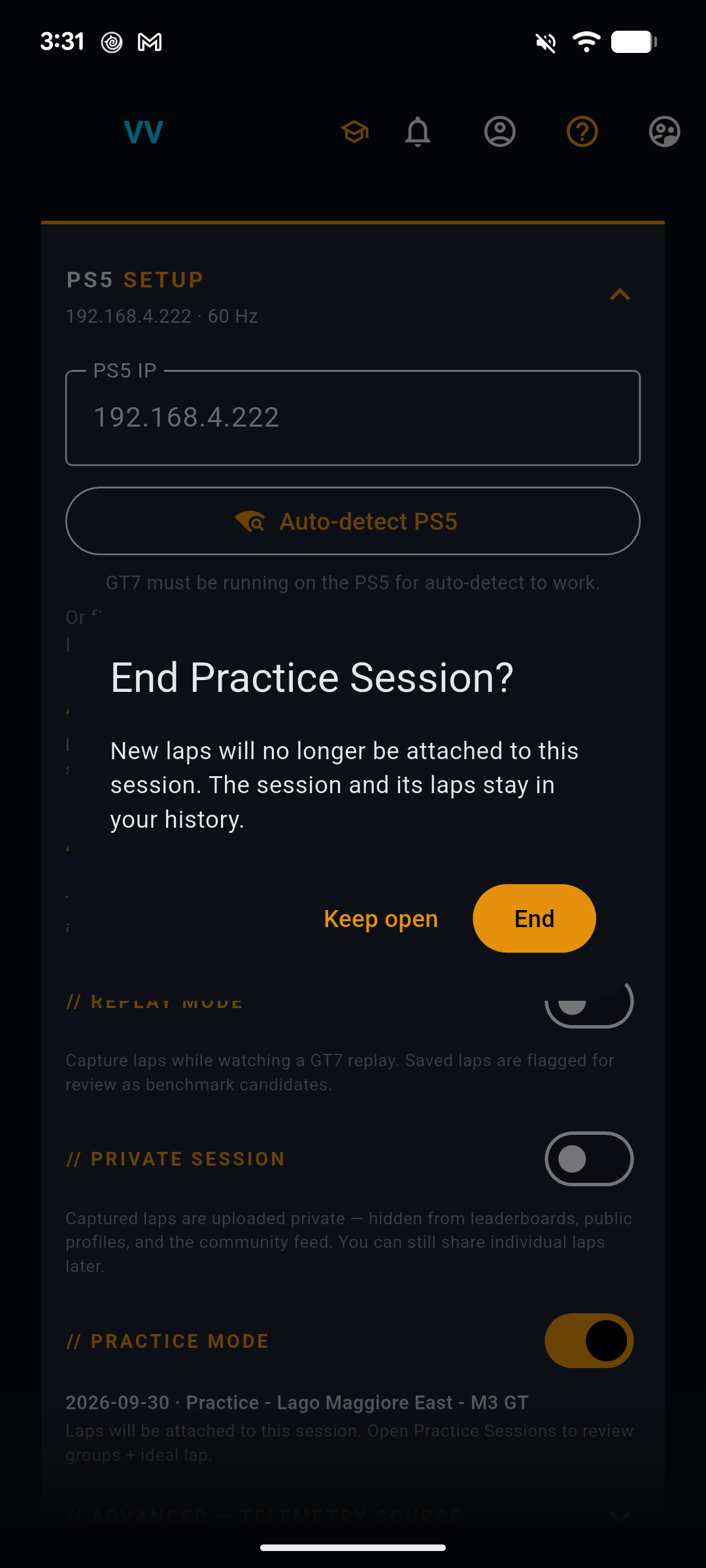
Once it is armed, the switch carries the session name, and a mortarboard appears in the app bar and stays there until you disarm:
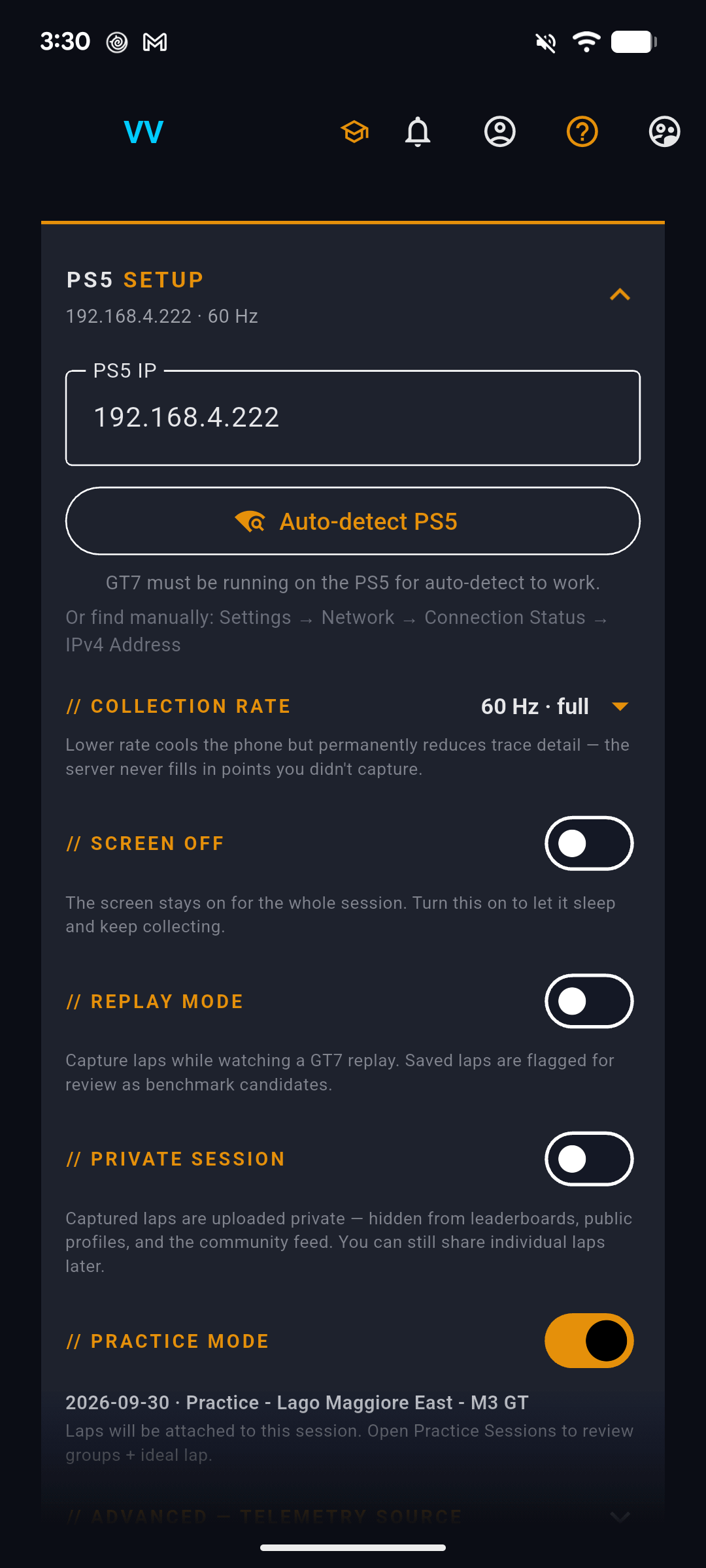
Three more things the phone does that the agent does not:
- It remembers across restarts. The phone stores which session is armed, so closing and reopening the app does not silently stop tagging laps.
- It reconciles on Start. If a session is already open — because you armed it on the desktop, or left it open last night — pressing Start asks what you want: Continue the existing session, Start new (which closes the old one first), or carry on without tagging this run.
- It offers to close on Stop. Stopping capture does not end the session, so a break for dinner does not split your practice in two.
3 · Afterwards, on the web
You do not have to decide in advance. Any laps you already have can be grouped into a session after the fact, from My Telemetry: press ✓ Select, tick the laps, then → Practice Session in the bulk bar.
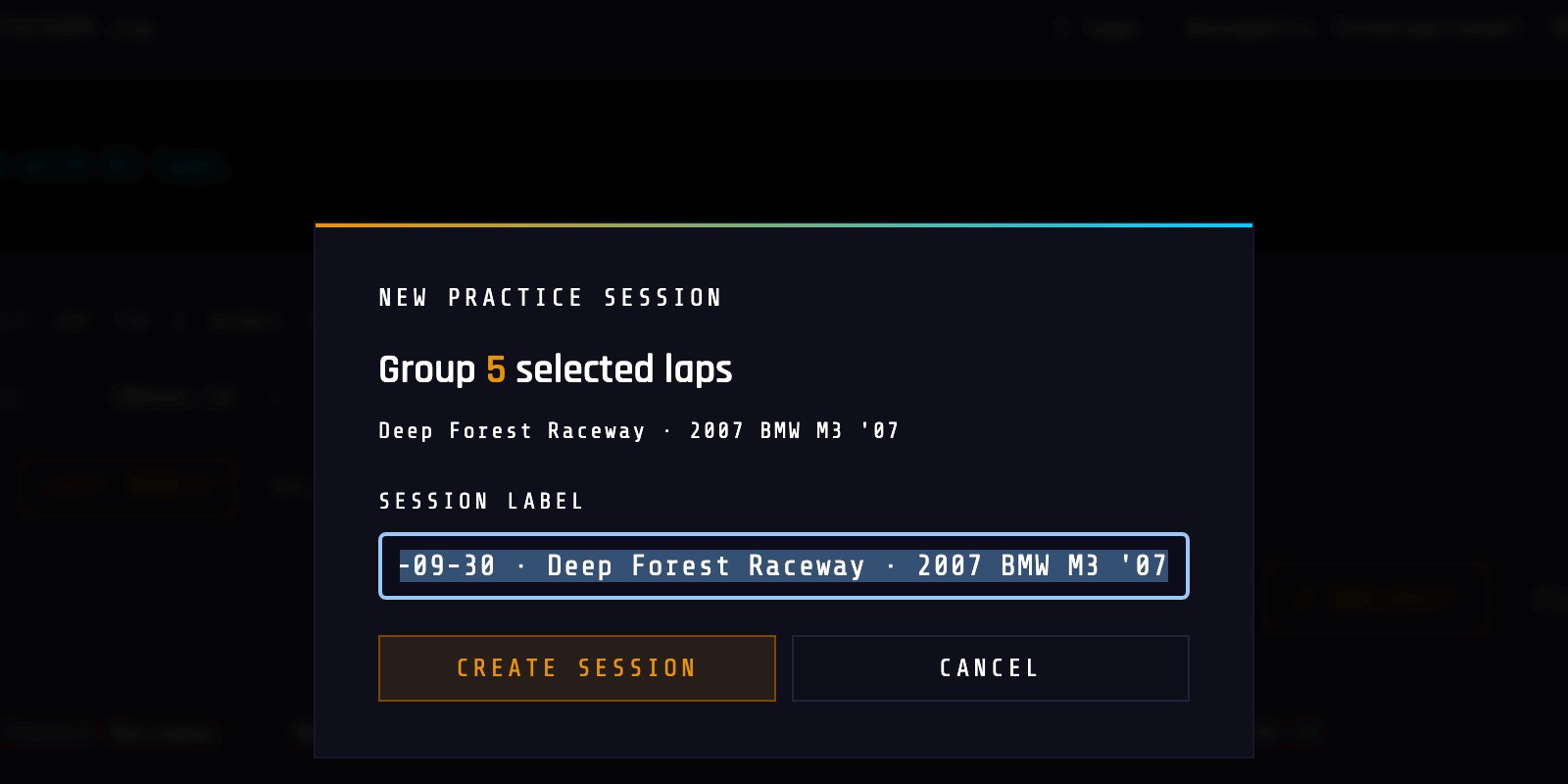
This is also how you rescue a run you forgot to arm — which, in practice, is most people's first session.
What a session actually is
It is a label on laps you already own. Nothing is duplicated and nothing is moved.
| If you… | Then… |
|---|---|
| Remove a lap from a session | The lap stays in My Telemetry. It just stops being part of the group. |
| Delete the session | Every lap is kept and detached. You lose the grouping, not the driving. |
| End the session | New laps stop attaching. Everything already in it stays, and the session stays readable forever. |
| Leave it open for days | It keeps collecting. The list shows how long it ran. |
Reading a session on the web
Every session you have is at /practice_sessions, newest first.
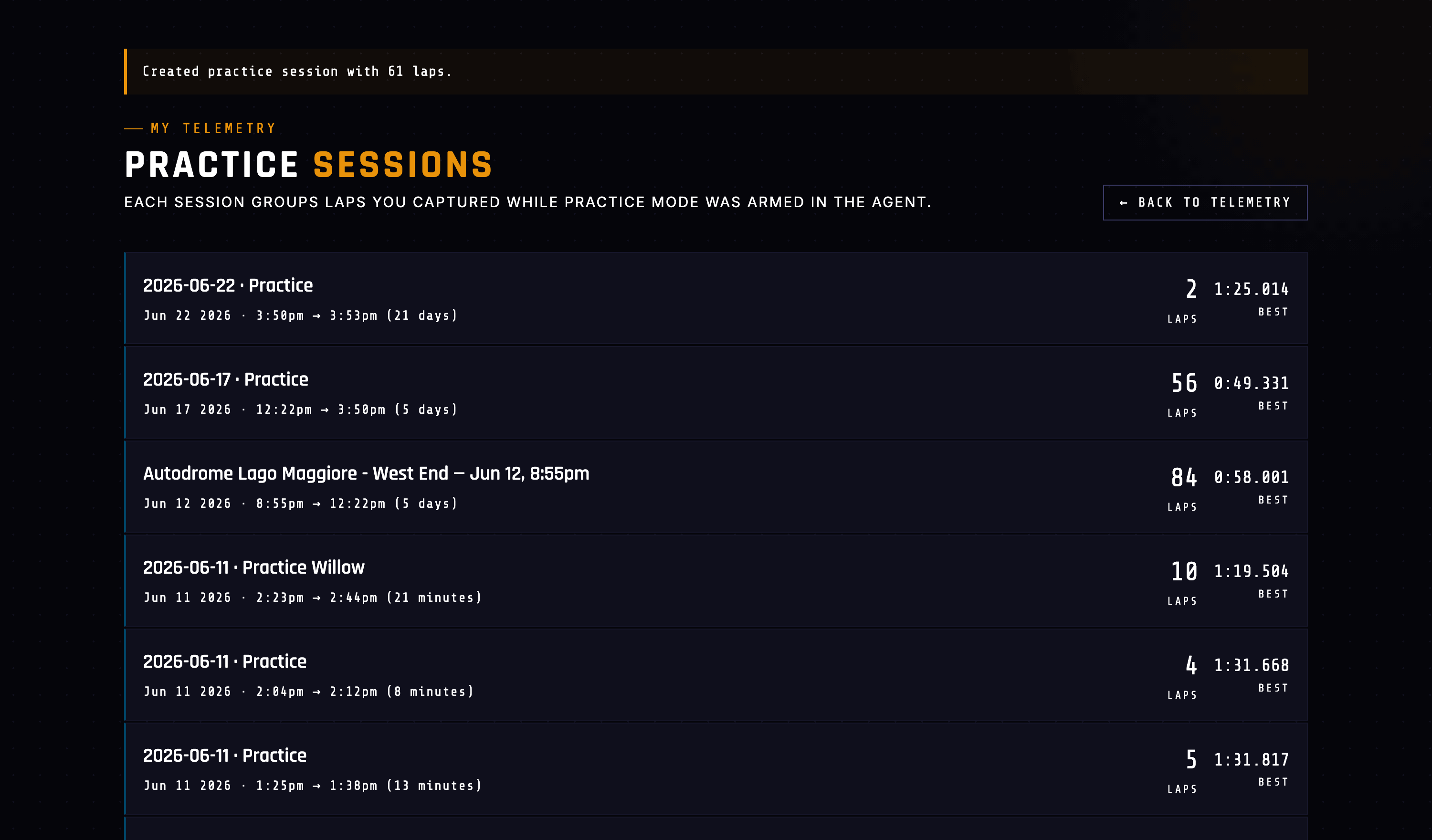
The session page
Opening one gives you the summary line and then the laps, grouped.
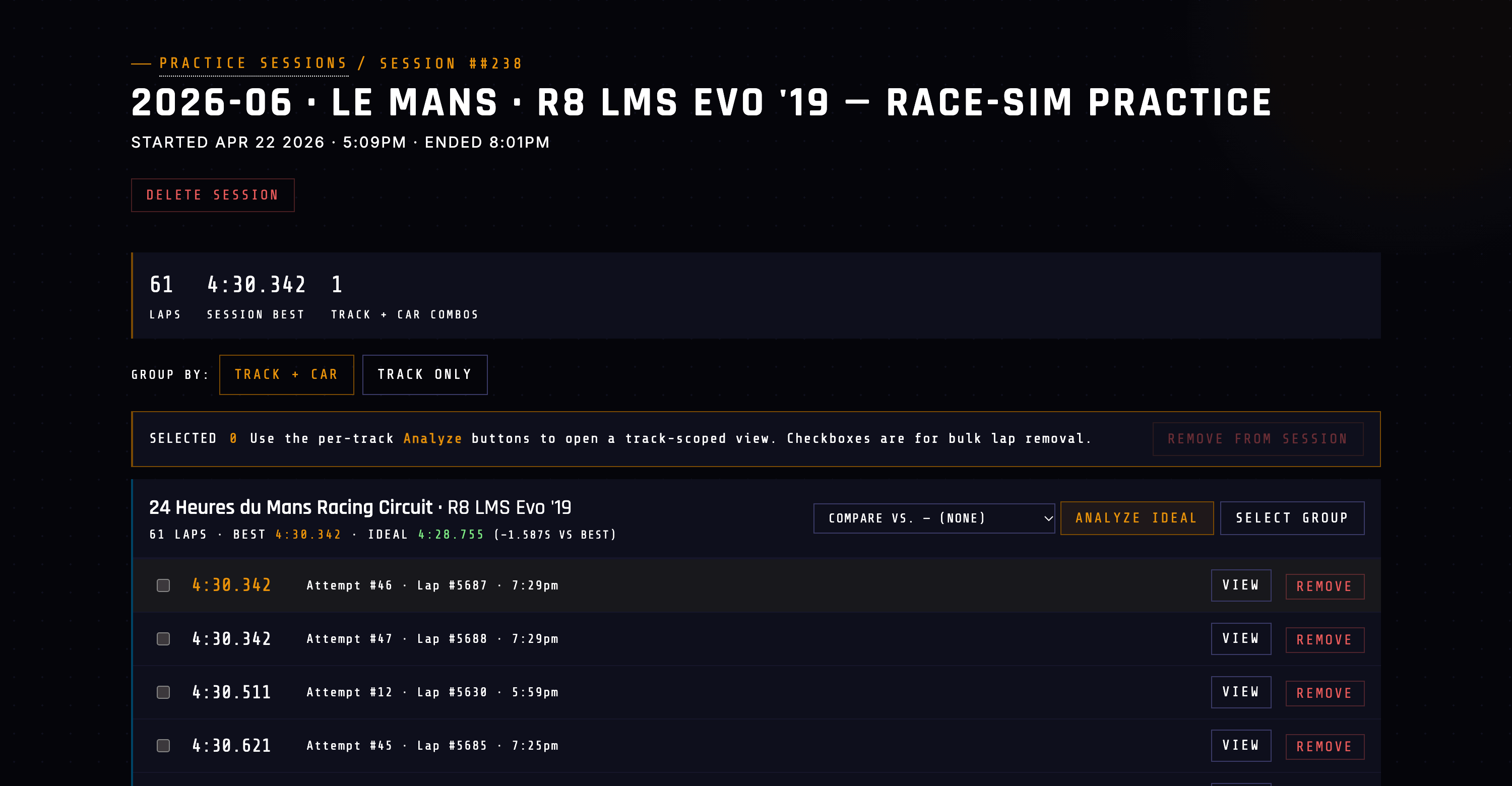
Each group header carries the number that makes the session worth grouping:
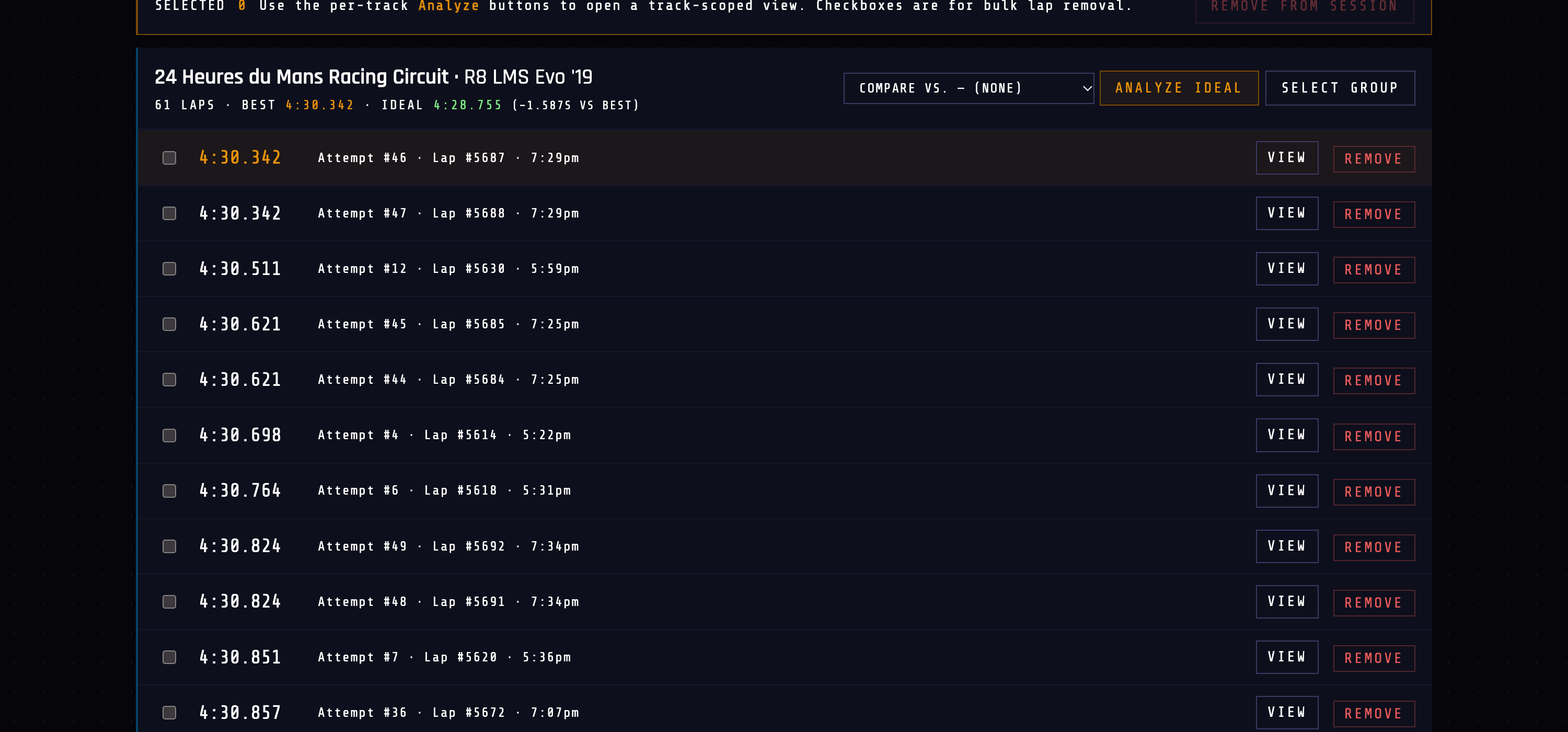
A solo time attack resets the in-race lap number every time you restart, so a 60-lap practice run can contain thirty laps all numbered 1. The session page numbers them by the order they were driven instead, so Attempt #46 always means the forty-sixth lap of this session.
Three things you can do from a group header:
- COMPARE VS. picks a reference — a curated benchmark on this track, one of your own saved benchmarks, or another lap from the session.
- ANALYZE IDEAL opens the stitched ideal lap in the full analyze view.
- SELECT GROUP ticks every lap in the group, which is how you detach a whole combo from the session in one go.
The ideal lap
ANALYZE IDEAL is the payoff. It opens the normal analyze page, but the lap on screen was never driven in one piece.
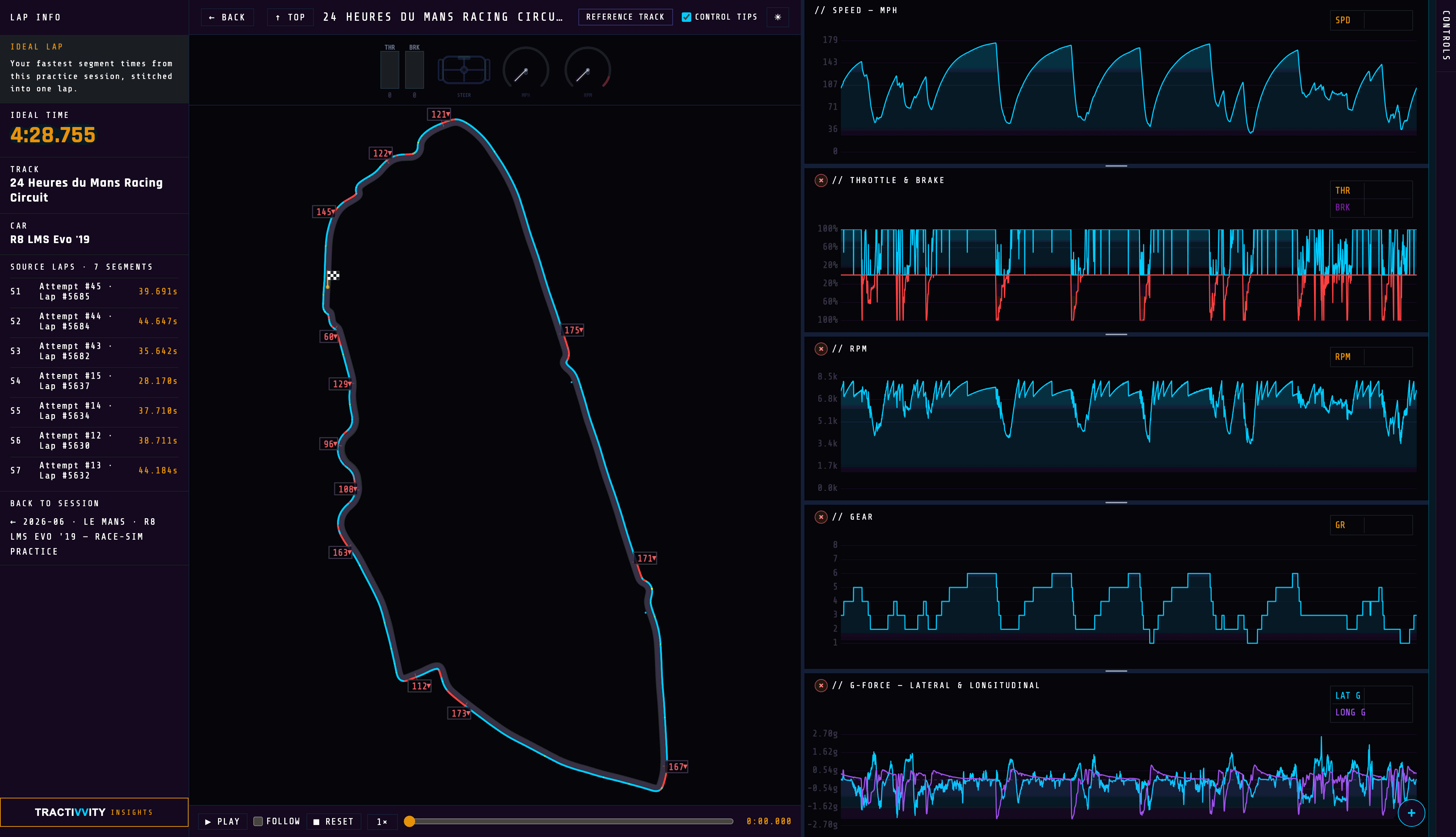
Seven segments, seven different laps. Read that list and the session stops being a blur — S4 through S7 were your best inside the first fifteen attempts, and the last twenty-five laps only improved the opening sector. That is a finding you cannot get from a personal best.
Everything else on the page is the analyze view you already know: the trace, the map, the channel picker, playback. The ideal lap behaves like any other lap because it is assembled as one — real samples from real laps, spliced at the segment boundaries.
Insights, with the session as context
Open Tractivvity Insights on the ideal lap and it knows what it is looking at.
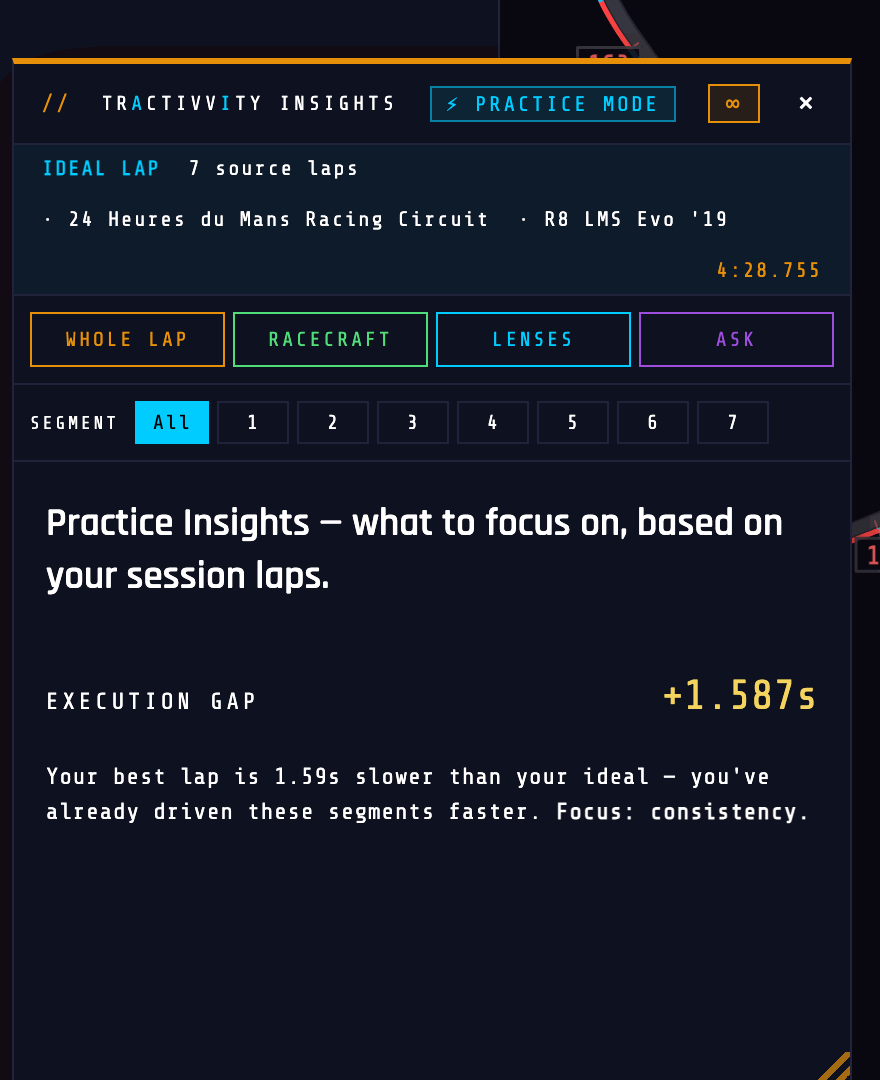
EXECUTION GAP +1.587s
Your best lap is 1.59s slower than your ideal — you've already driven these segments faster. Focus: consistency.
Two details worth knowing. The SEGMENT row is open by default here, because in a practice session the segment is the question — different laps own different segments, so scoping a lens to S4 asks about a specific lap's driving. And the execution-gap read above costs nothing; it is computed from your own splits. The four lens buttons are the usual Insights, and those spend credits as they normally do.
Reading a session in the app
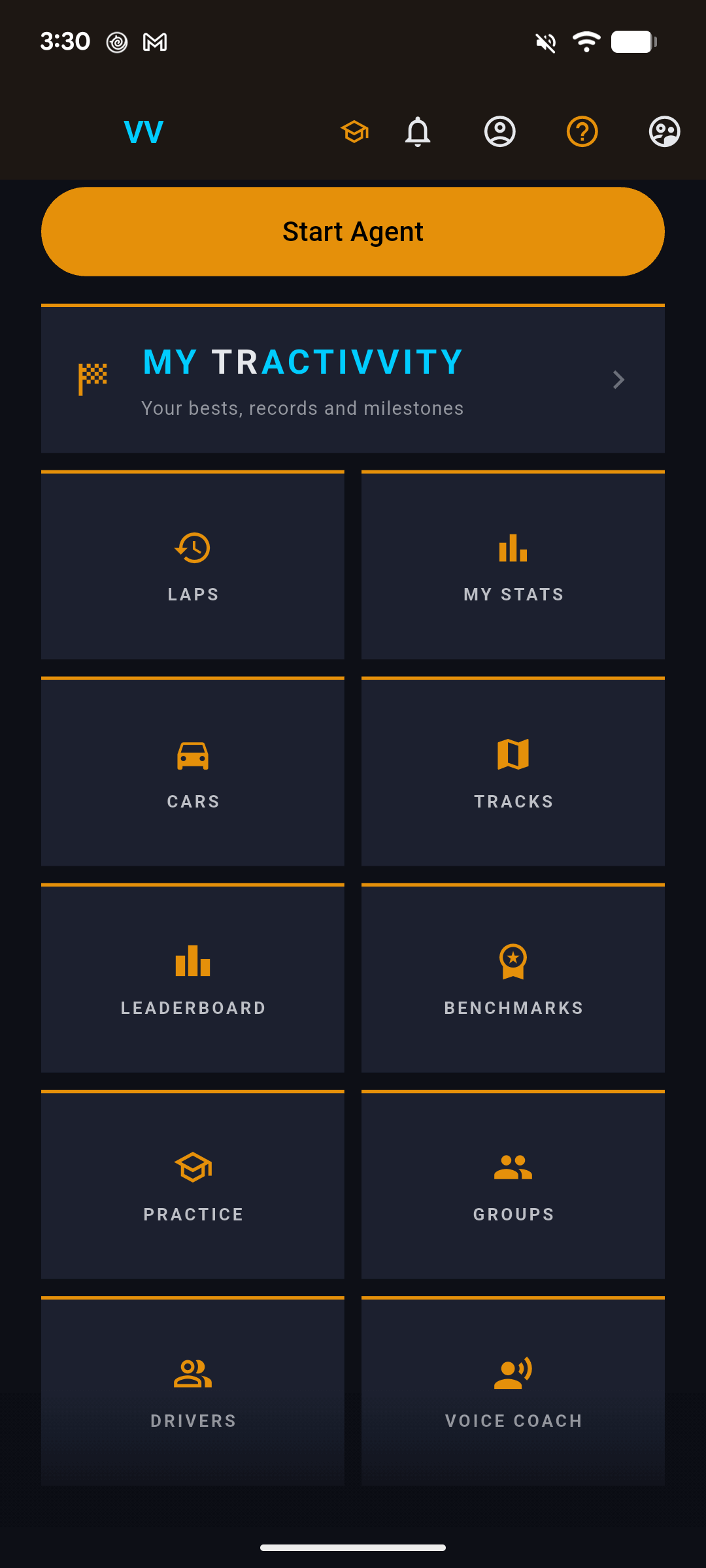
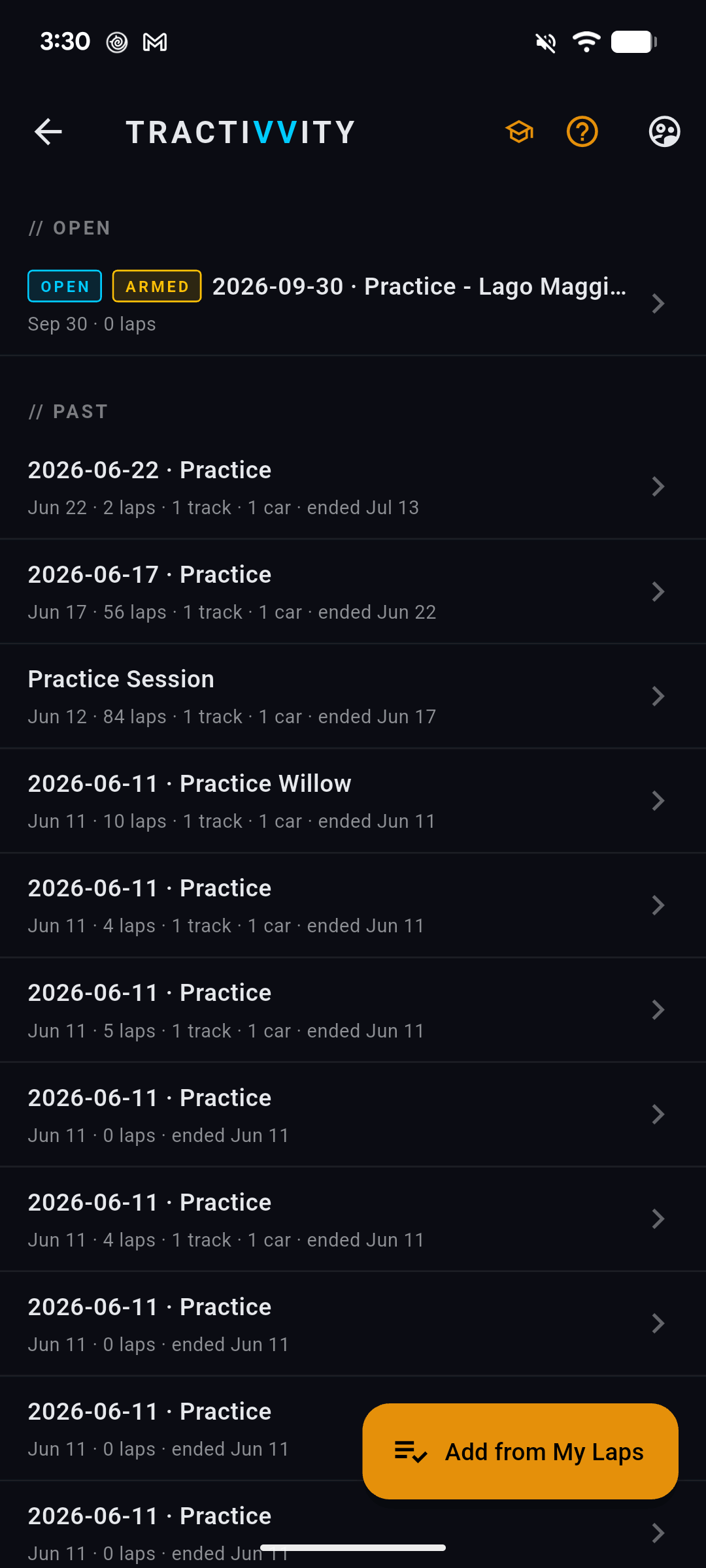
Everything above is on the phone too. PRACTICE on the dashboard opens the list.
The session card
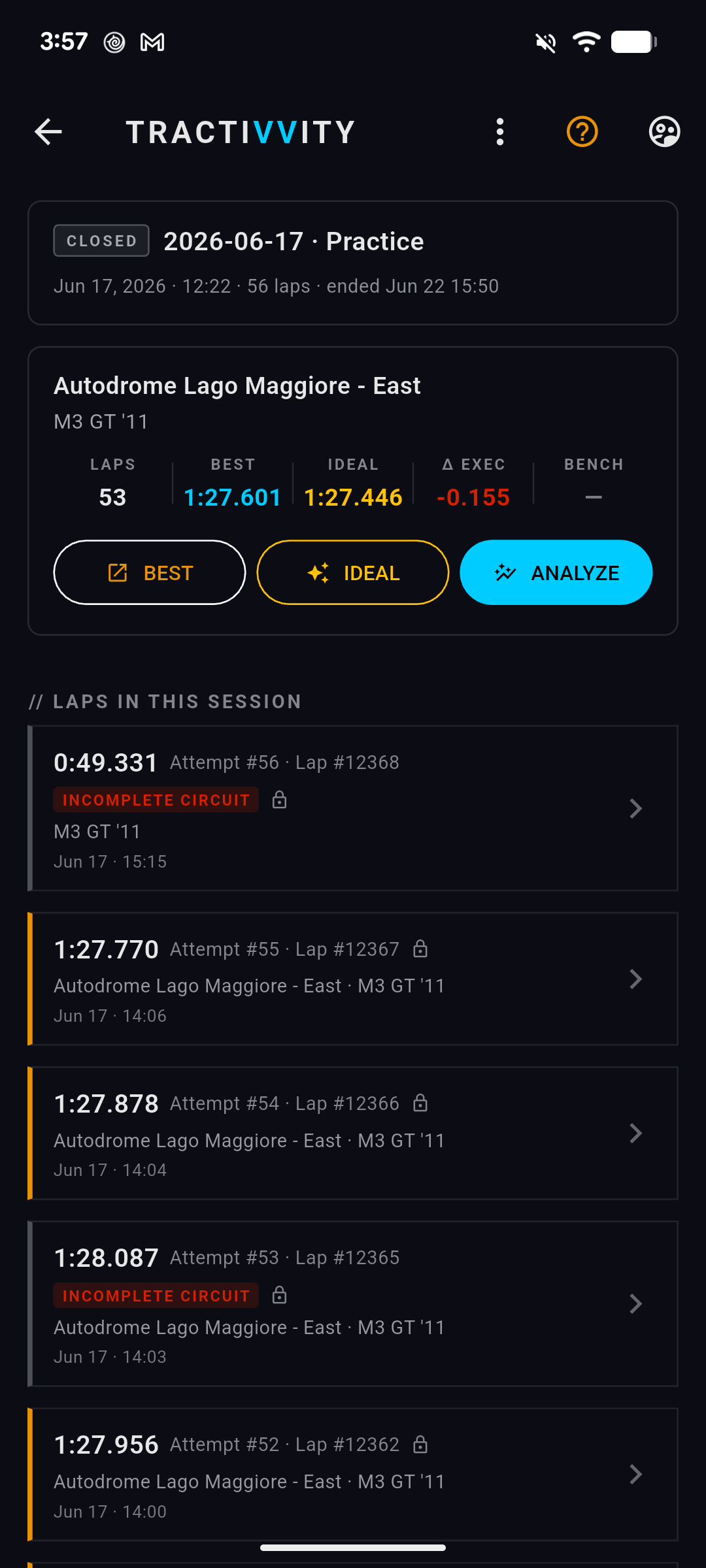
The lap list is numbered by attempt, the same as the web, and laps that did not complete the circuit are marked rather than quietly dropped — so a 53-lap session that contains a few aborted runs still reads honestly.
The ideal lap on the phone
ANALYZE on a card is the phone's version of the stitched lap.
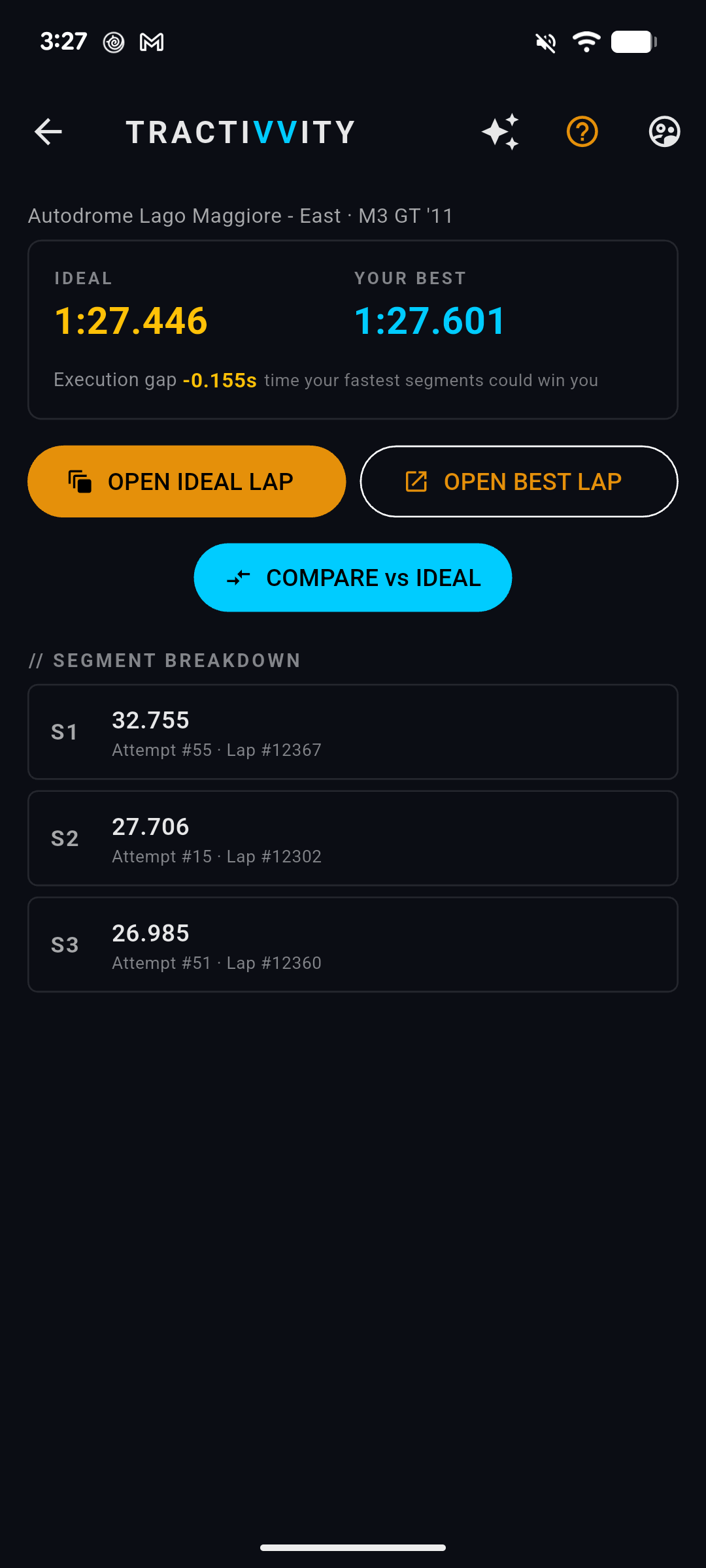
Three segments, three different attempts, out of fifty-three laps — the same shape of answer the web gives, in the place you are actually standing when you finish a run.
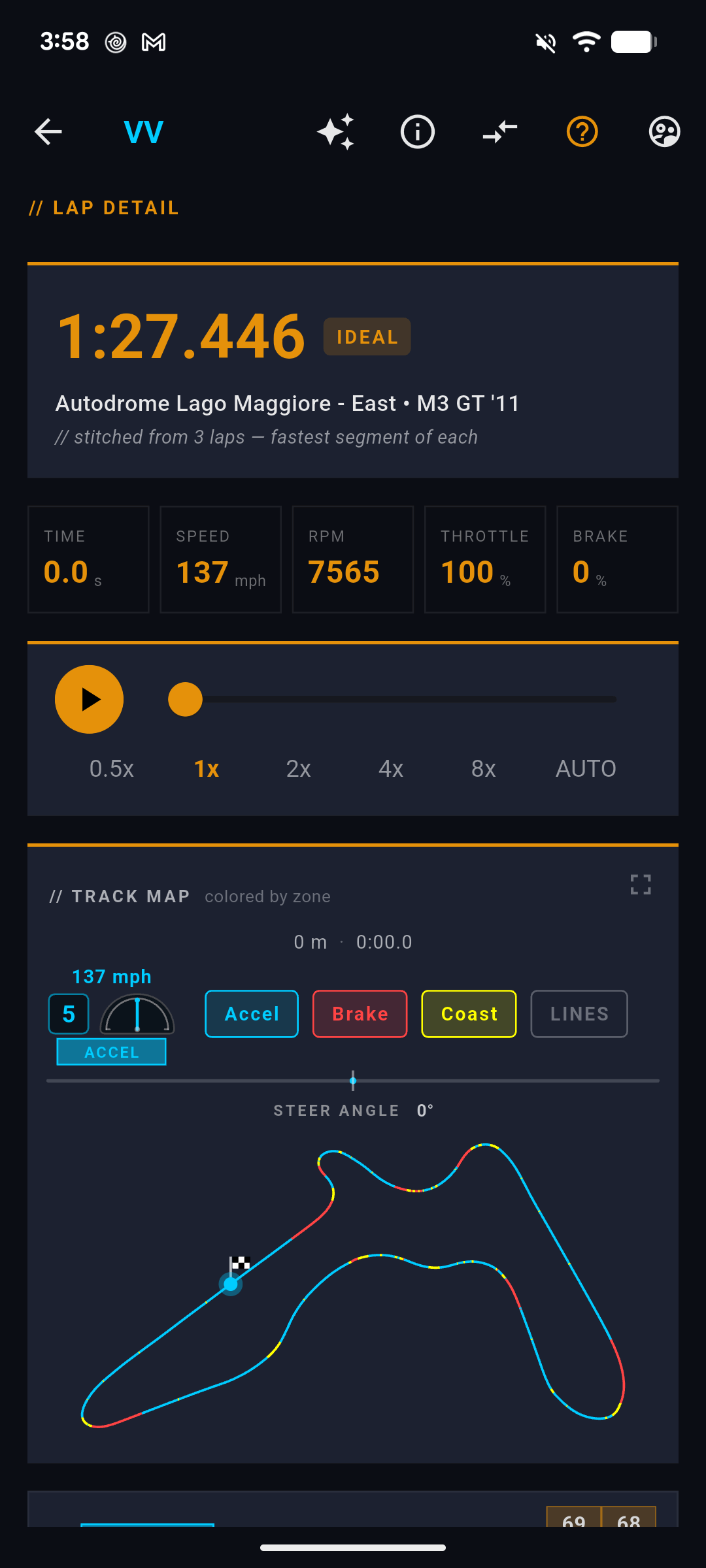
OPEN IDEAL LAP loads the stitched lap in the full lap view, where it behaves like any other lap you own:
The more useful button is the other one. COMPARE vs IDEAL puts your best real lap against the stitched one, side by side:
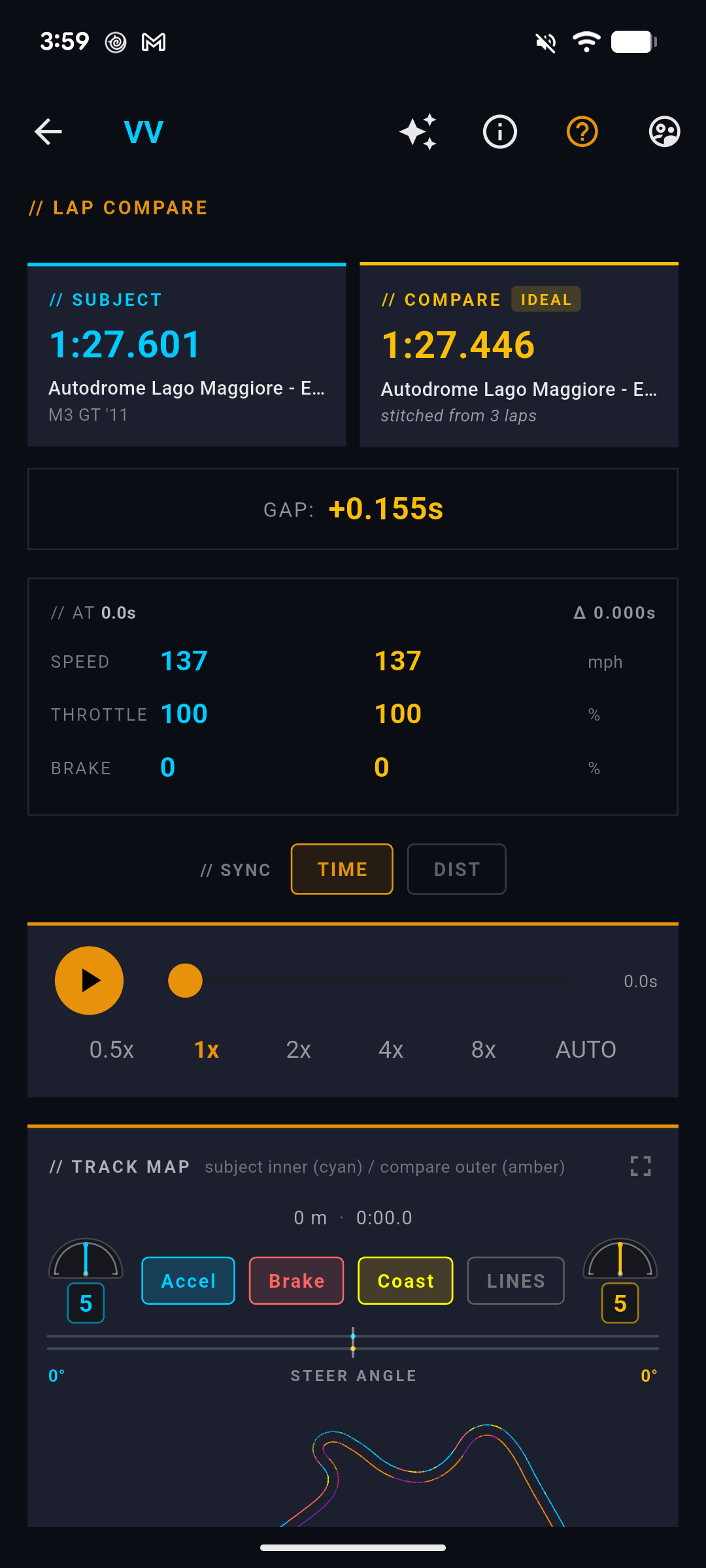
And underneath, the part that turns a number into a place on the track:
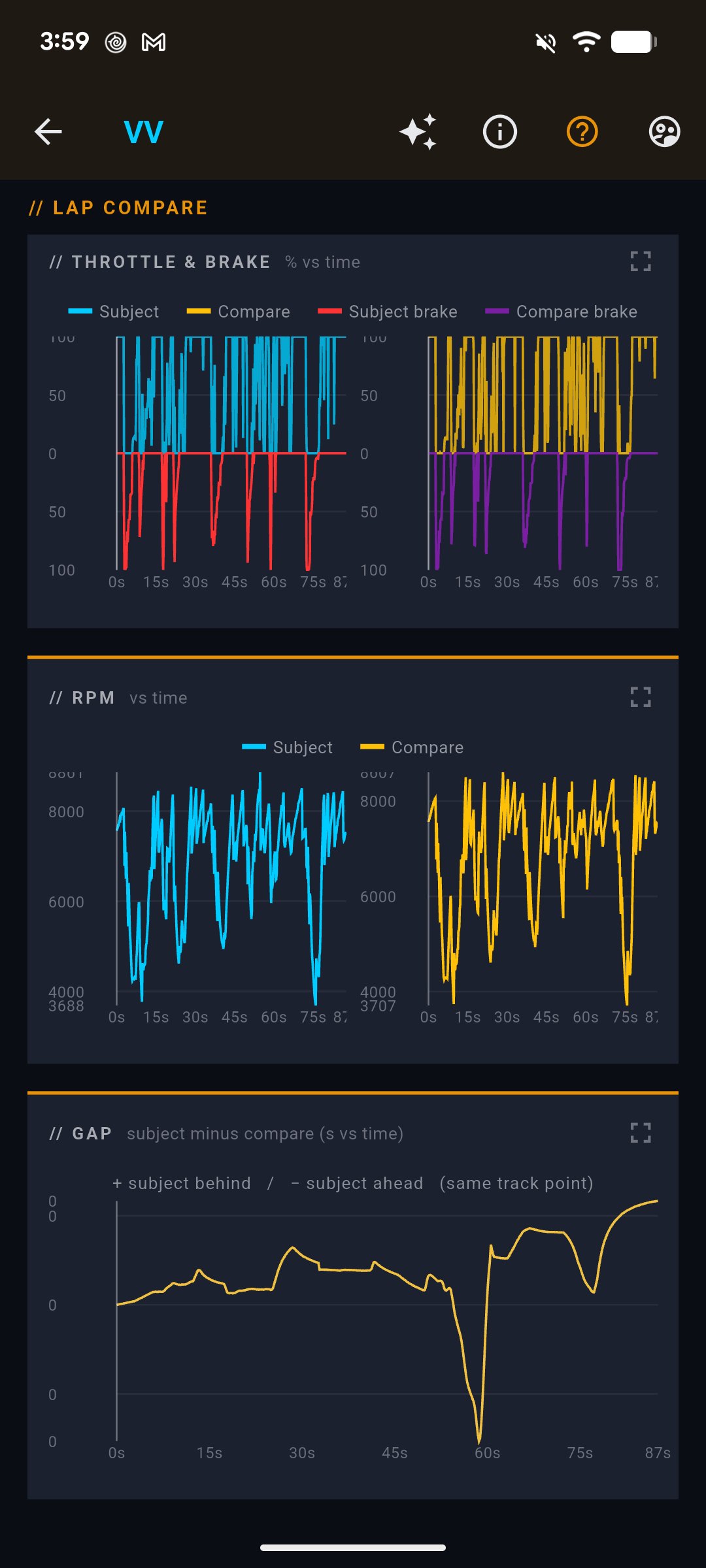
That last chart is the whole feature on one screen. It is not a comparison against a faster driver or a benchmark car — it is your own driving, on the same day, in the same car, and it still shows you a tenth and a half you left on the table.
Grouping laps you already have
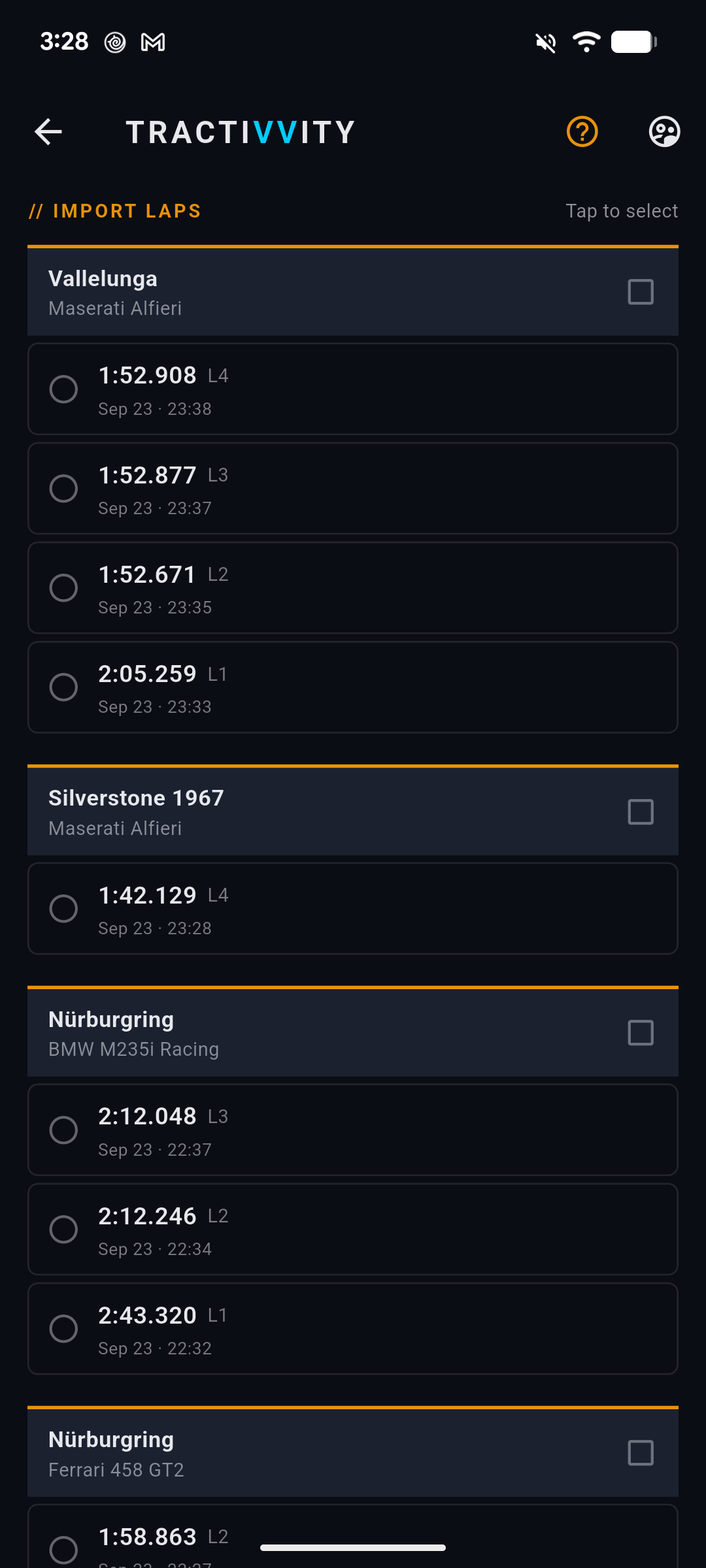
Ending an open session is a button on the session header, and it does the same thing as ending it anywhere else.
The two gaps
Practice Mode splits your deficit into two numbers that need completely different answers, and the distinction is the reason the feature exists.
| Execution gap | Skill gap | |
|---|---|---|
| What it is | Your best real lap minus your ideal lap | Your ideal lap minus the benchmark |
| What it means | You have already driven every piece of a faster lap. You have never joined them up. | Even your best-ever run through each segment is slower than the reference. |
| What fixes it | Consistency. Nothing new to learn — put a clean lap together. | Technique. Braking points, line, throttle application. |
| Shown as | Δ EXEC on the phone, IDEAL … VS BEST on the web | BEST Δ BENCH, and per-segment once a benchmark is picked |
A 1.6-second execution gap and a small skill gap means stop practising technique and go string a lap together. The other way round means the opposite. Chasing the wrong one is how a practice session turns into three hours of no progress.
If your ideal is only a tenth under your best, you are already driving the lap you are capable of on this combination. The time left is in the skill gap, and the corner tables in Racecraft and the benchmark comparison are where to find it.
A session, start to finish
- Arm it before the first lap. Menu-bar toggle on the desktop, the switch on the capture screen on the phone. Name it if you are on the phone.
- Drive the run. Same track, same car, as many attempts as you want. Laps attach as they upload.
- End the session when you stop — from the toggle, from the phone's Stop prompt, or from the session page later. Leaving it open is fine if you intend to continue tomorrow.
- Open the session and read the group header. Best, ideal, and the gap between them. That is the shape of your run in one line.
- Open the ideal lap and look at which attempts own which segments. If the same two or three laps own everything, you are consistent and the time is elsewhere. If it is scattered across the whole run, the execution gap is real and it is yours to take.
- Pick a benchmark in COMPARE VS. once the execution gap is closed, and the same page starts answering the technique question instead.
Availability
| Surface | What you get |
|---|---|
| Desktop agent | Arm and close a session from the menu bar or tray. macOS and Windows. |
| Phone app | Arm with a name, reconcile an open session on Start, close on Stop, group laps you already have, and read every session with its ideal lap and gaps. |
| Web | Group laps after the fact, read every session, stitch the ideal lap, and run Insights with the session as context. |
Practice Mode itself is part of every account. The deterministic numbers — ideal lap, execution gap, per-segment splits, the spread — are computed from your own laps and cost nothing to read. The Insights lenses on top of them spend credits exactly as they do anywhere else.
Forty laps is not forty results. It is one result you have not assembled yet.