Tractivvity · Feature guide · Gran Turismo 7
The Portal
A walk through every page in the navigation, and what each one is for.
A walk through the portal
The top navigation is the map. Ten destinations, and this section walks them in the order they appear. Each one is a way into the same pile of laps from a different angle.
Every destination in the nav opens on a free account. Nothing in this walkthrough is behind a paywall at the door. Where Pro matters is inside one of them — the depth of the Analyze page — and that is covered in its own section next.
Home BASIC
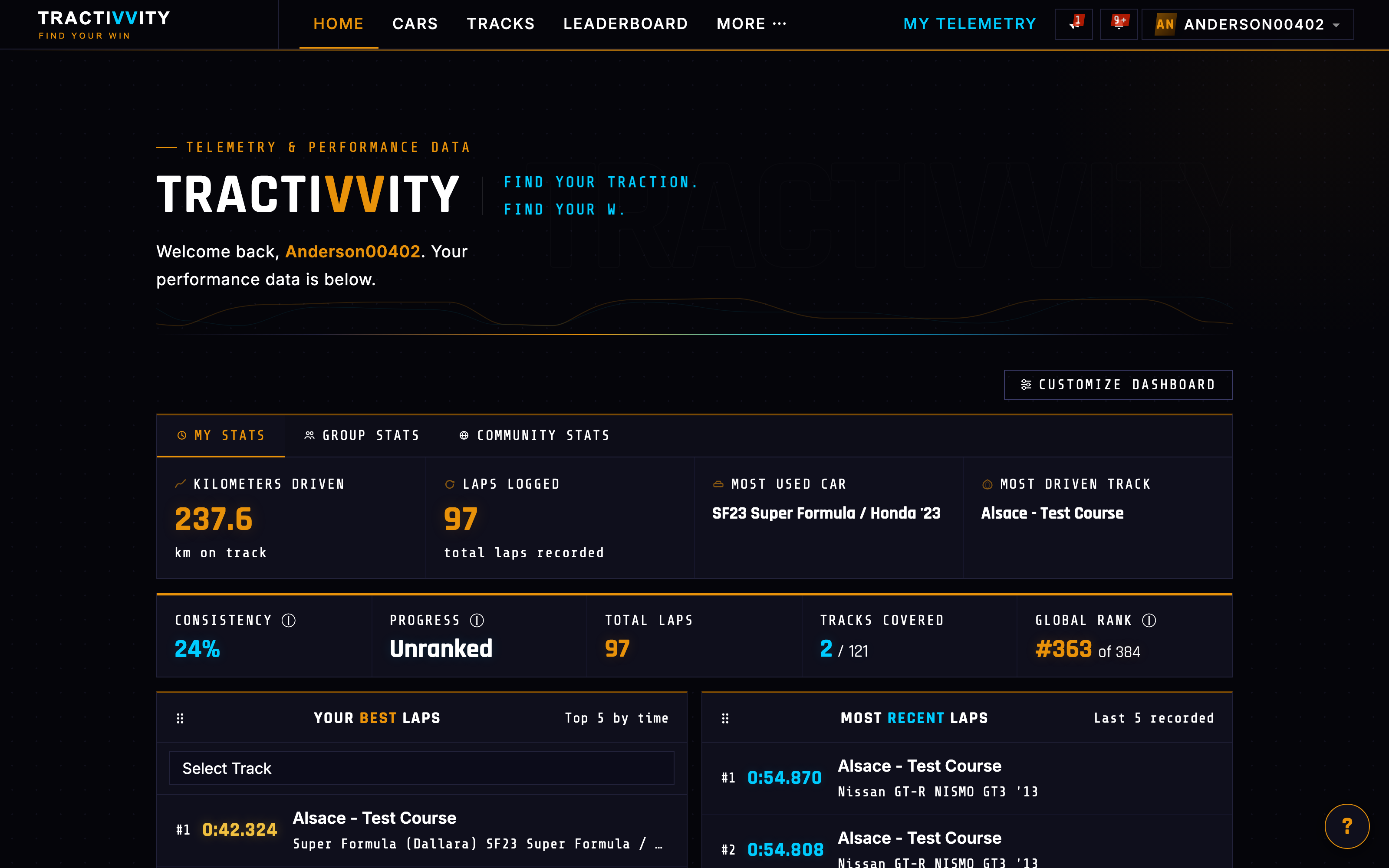
/dashboard — where you land, and the page you will see most. The panels are rearrangeable, so whatever you check first can sit at the top.
The thing to understand here is the scope switcher at the top of the stats block. It changes whose data the whole dashboard is reading:
Just you
Distance driven, laps logged, most-used car, most-driven track, consistency, progress tier and your global rank — then your best laps, recent laps, personal bests per track and a car breakdown.
The people you race
The same shape of numbers, scoped to your groups. Where you sit among the drivers you actually turn up against, rather than against everyone.
Everyone
The whole population: what is being driven, where, and how your numbers read against the full field.
It is the same dashboard three times over, and it is how a driver goes from "am I improving?" to "am I improving faster than the people I race?" without leaving the page.
Cars BASIC
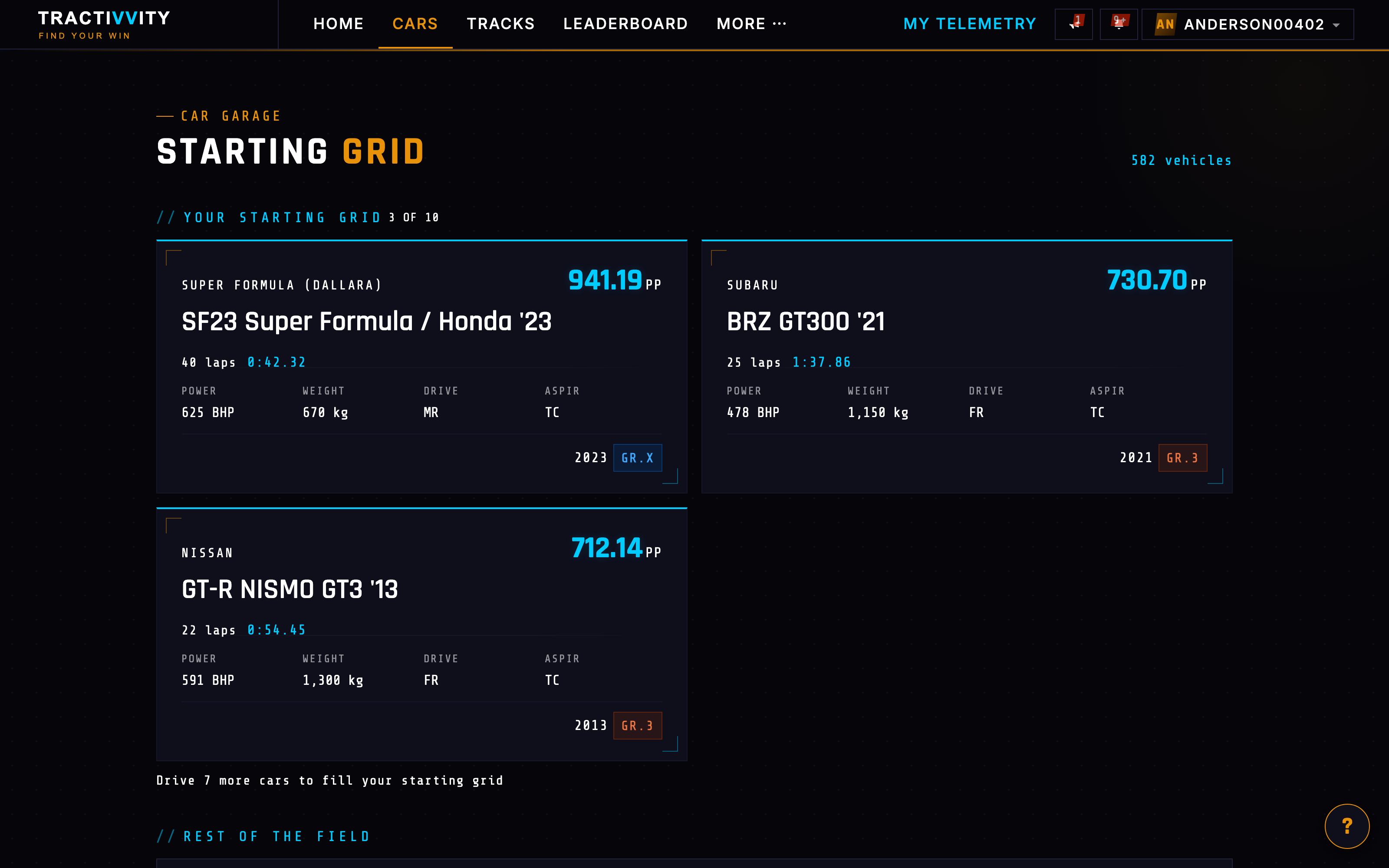
/cars — the garage, framed as a Starting Grid. The cars you have actually driven come first, each with your lap count and best time in it. Everything else in the catalogue sits below as Rest of the Field.
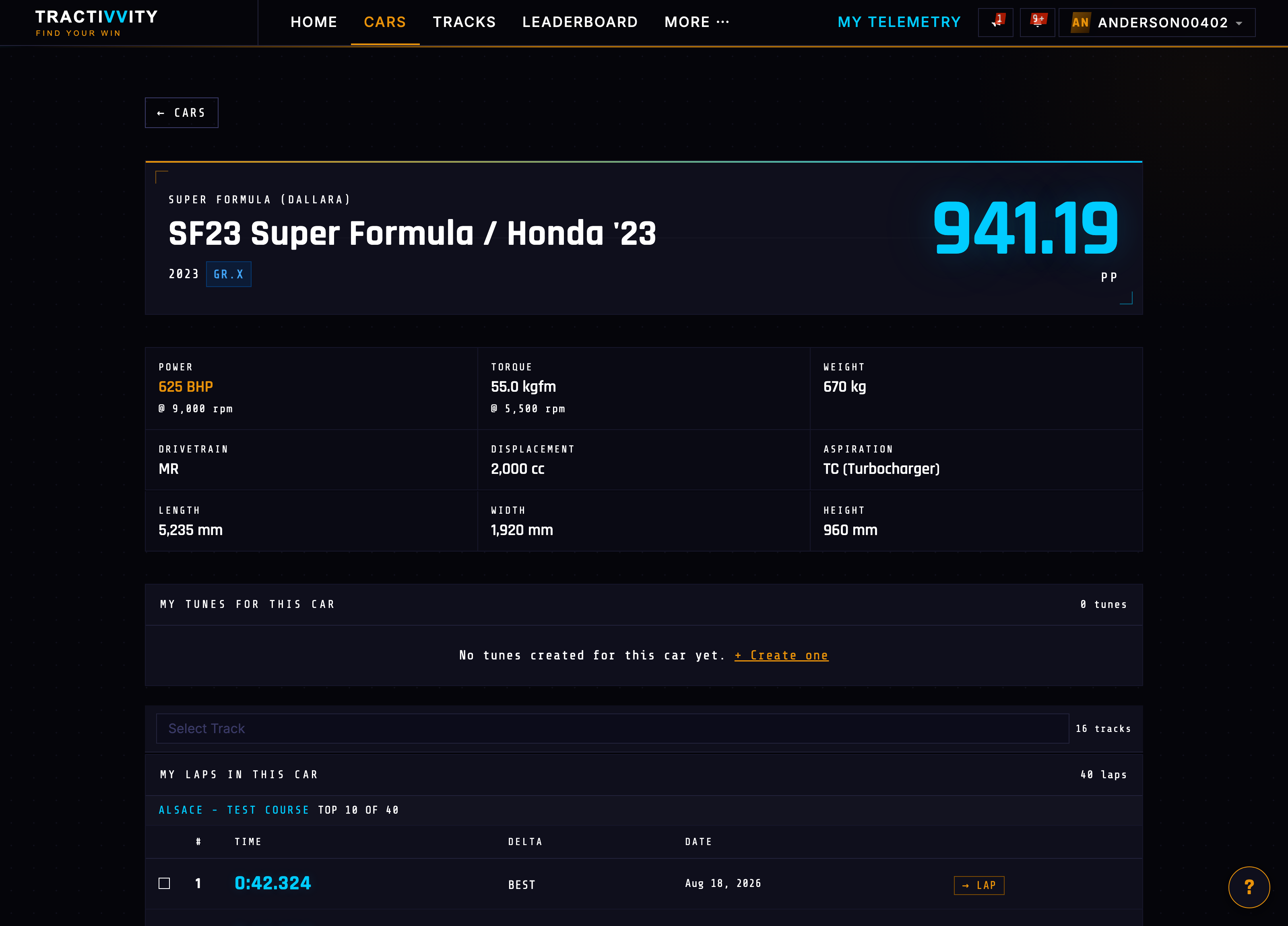
Open a car and the page becomes about how you drive it. Full specification up top — power and where it arrives, torque, weight, drivetrain, displacement, aspiration, dimensions, PP and class. Then your tunes for that car. Then the part that matters: every lap you have turned in this car, grouped by track, with your best and the delta behind it.
Tracks BASIC
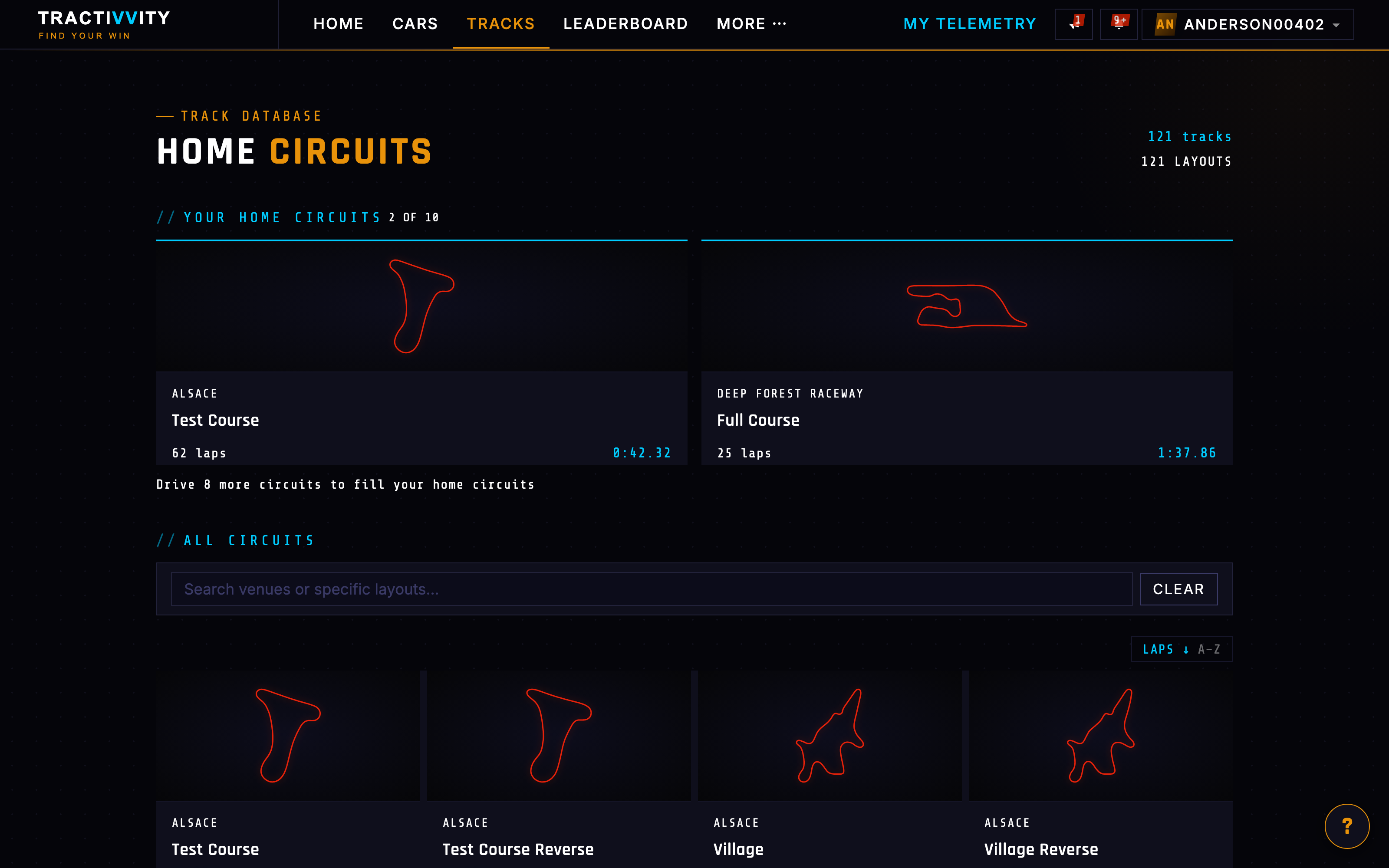
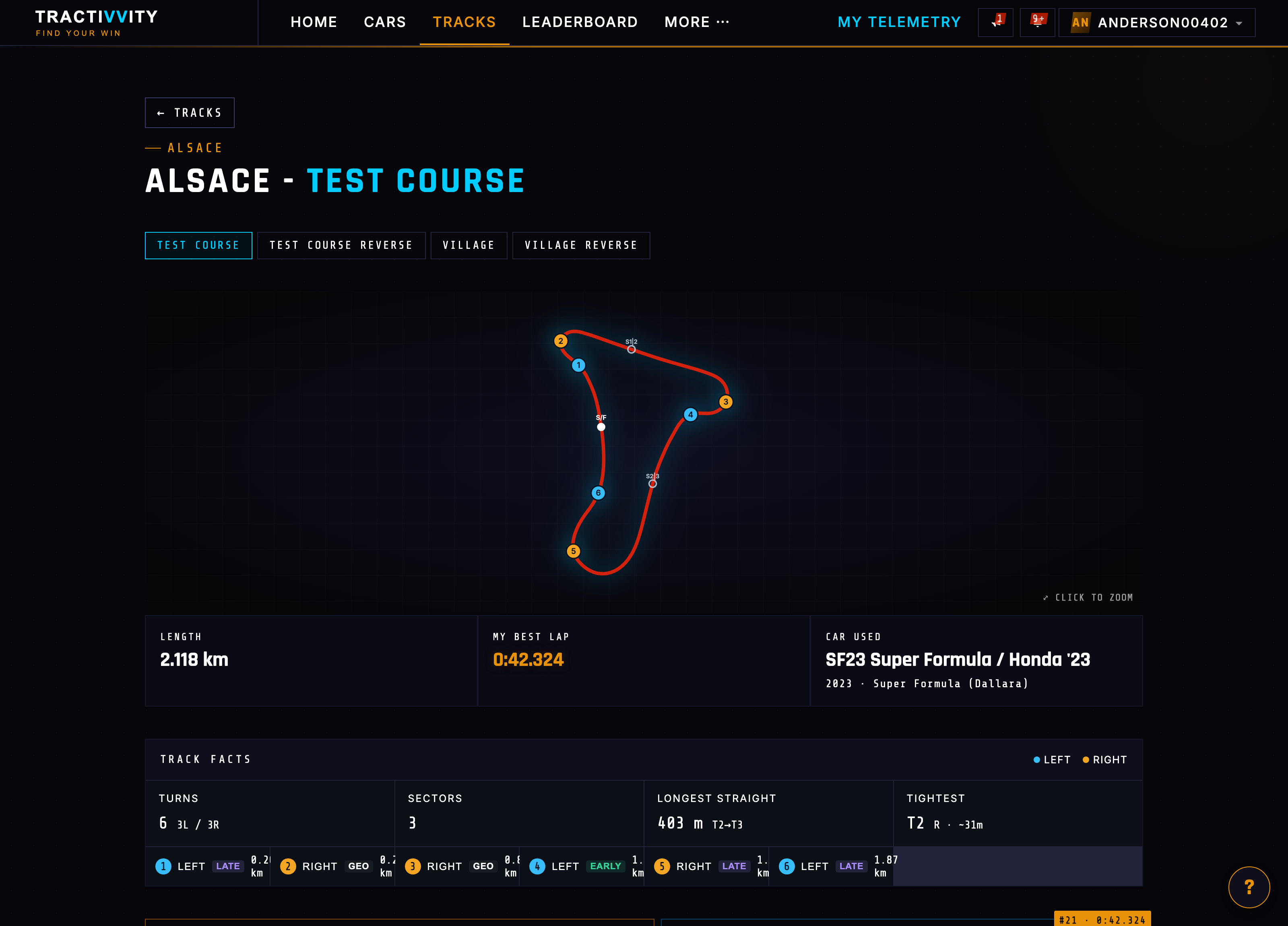
/tracks — the circuit library. Each track holds the reference path every lap is aligned against, its layouts, its sector splits and the fastest public laps recorded there.
Open a track and you get the mirror image of the car page. Layout variants along the top — a circuit and its reverse and its short courses are separate places to be fast. A numbered turn map with the sector boundaries and start / finish marked. Then Track Facts: how many turns and which way they go, how many sectors, the longest straight and where it runs, the tightest corner and its radius, and a turn-by-turn strip calling each one left or right and early, late or geometric.
Alongside it: your best lap here, the car you set it in, and your laps on this circuit across every car you have driven it with.
Leaderboard BASIC
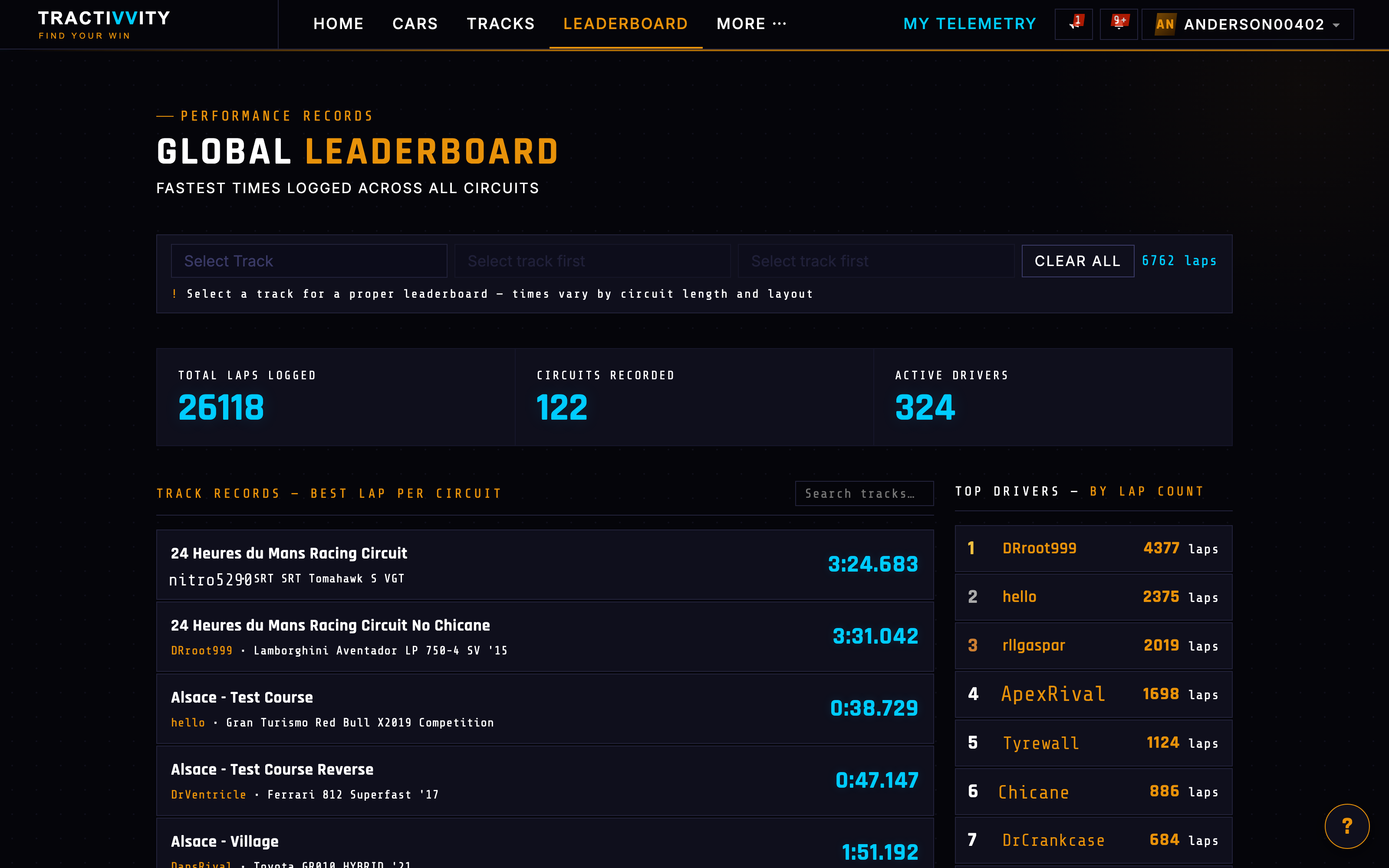
/leaderboard — the global board. Rank, time, driver, car, class and track, filterable down to the combination you care about. Only laps their drivers chose to make public appear, and prepackaged demo laps are excluded, so a position means somebody actually drove it.
Benchmarks PRO
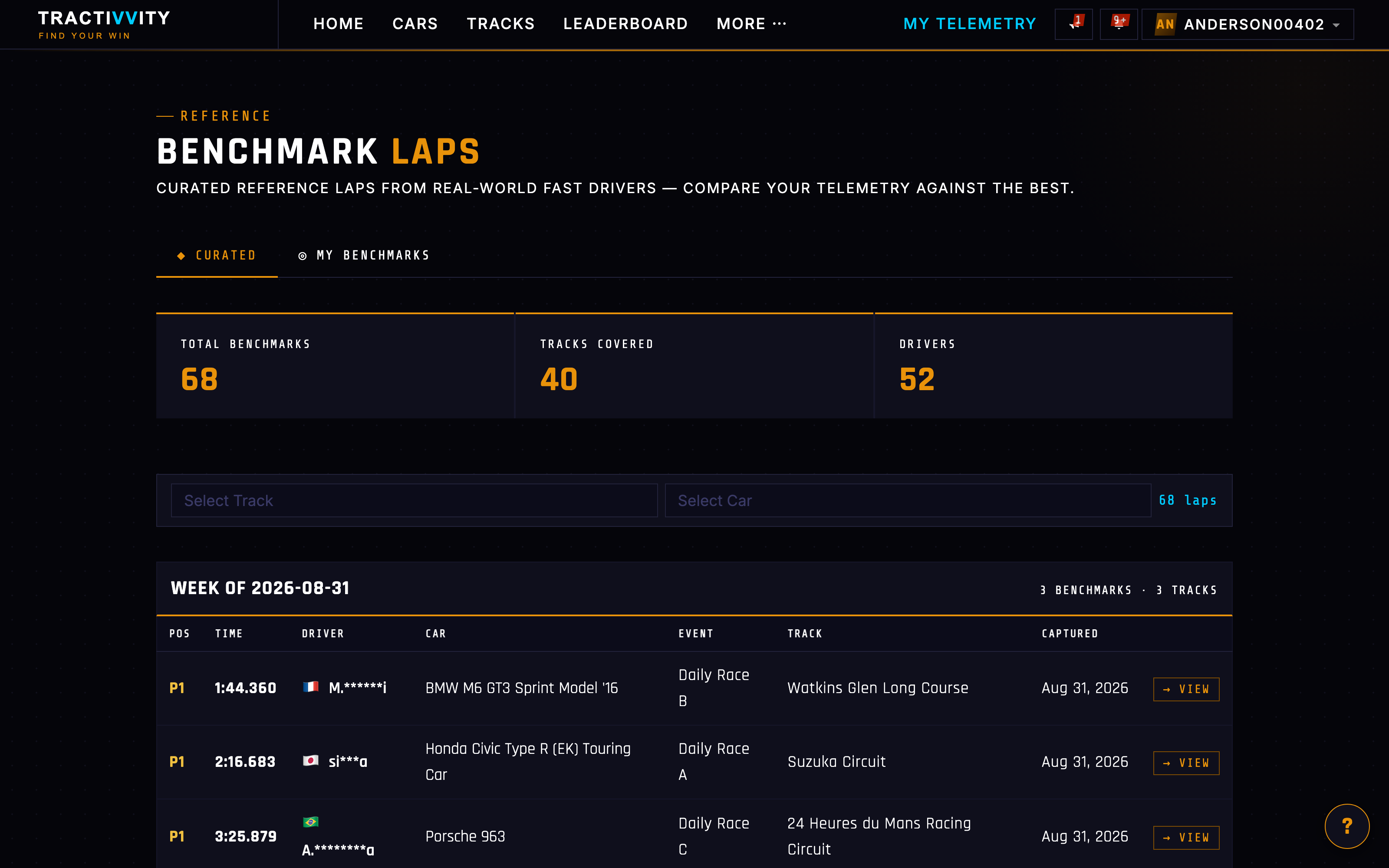
/benchmarks — the page the nav puts a star against, and the one with the most going on behind it. A benchmark is not just a fast lap in a list. It is a lap somebody nominated as worth driving against, and the product treats it differently because of that.
They come from two directions:
Recorded by Tractivvity
Reference laps captured and vetted by the team — a known-good lap for a given car and circuit, driven properly, with clean telemetry behind it. These are the "what does good look like here?" answer, and you do not have to know a fast driver to get one.
Marked from any lap you like
Take any lap off the GT7 leaderboards and nominate it as your benchmark. It becomes a fixed target that does not drift as you tidy up old data, and you can share a single benchmark to a group without opening up the rest of your driving.
Then you can drive against them
This is the part that makes benchmarks more than a library. In the mobile app, a lap can be pinned to a live session. Once pinned, the phone is not just recording: it is showing you where you stand against that lap while you are still on track.
Pinning itself is open to everyone. There is no limit on what a free account can pin — curated benchmarks, your own saved benchmarks, community laps, your own laps, all of it.
Where Pro matters is seeing the result. The live dashboard is a stack of swipeable boards, and the ones that read your driving against a pinned reference are the Pro ones. A free account can pin a curated benchmark and record the session; it just will not get the boards that show the comparison while you are driving it.
| On the phone, while driving | Basic | Pro |
|---|---|---|
| Pin any lap as a reference | ✓ | ✓ |
| Trace, Pace and Settings boards | ✓ | ✓ |
| Dash, Line, Technique and Stint boards | — | ✓ |
Either way it closes a gap nothing else in the product closes. Analyze tells you where the time went after the fact. A pinned lap tells you where the time is going now, against a reference you chose, on the corner you are in.
Benchmarks deserve a longer treatment than a stop on a tour — how a curated lap gets chosen, how pinning behaves over a session, and how it pairs with Practice Mode. Treat this as the outline.
Drivers BASIC
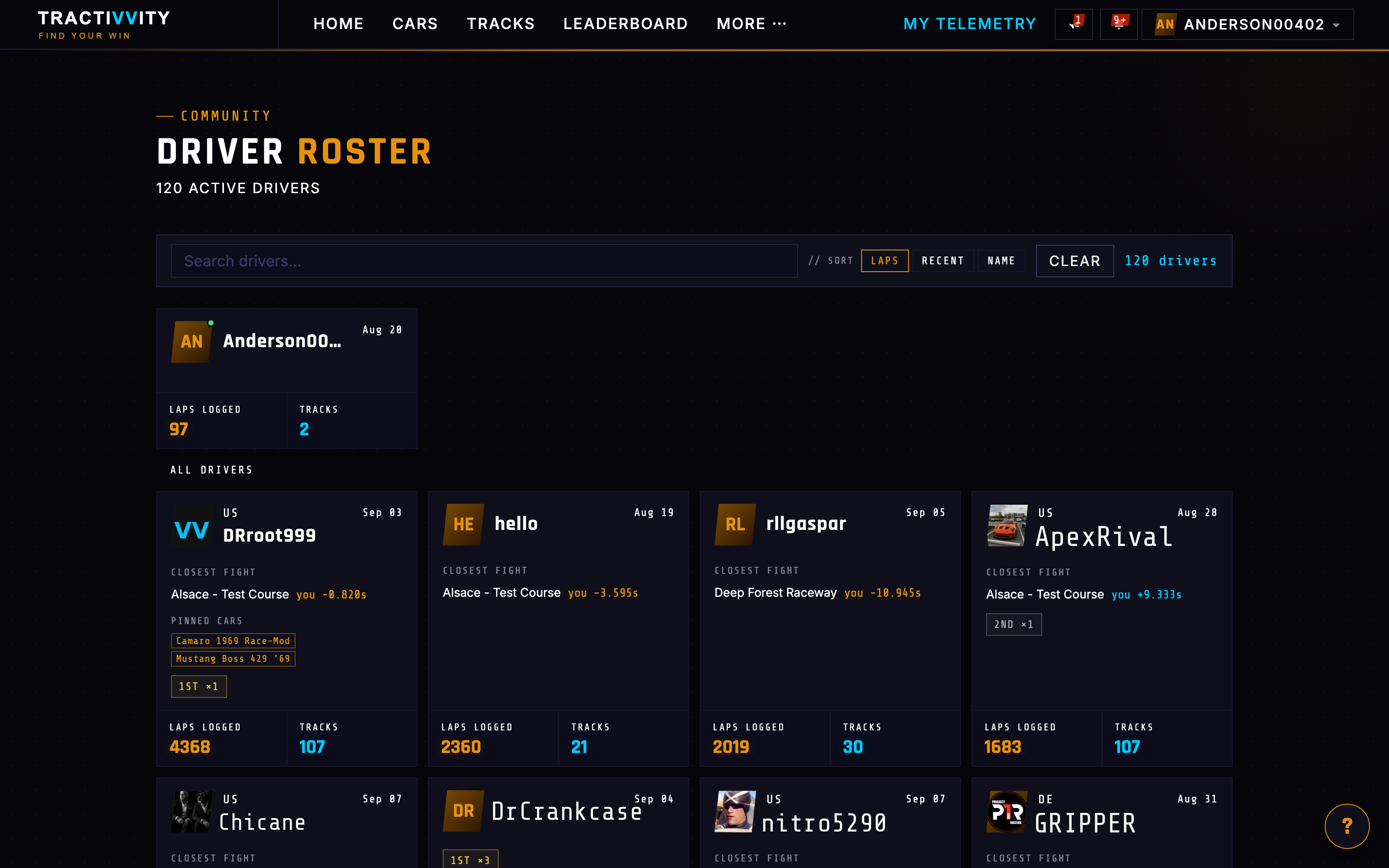
/drivers — the roster of everyone active, searchable and sortable by laps, recency or name. The useful part is on each card: Closest Fight names the track where you and that driver are nearest, and by how much. It turns a directory into a list of people you could realistically go after.
Groups BASIC
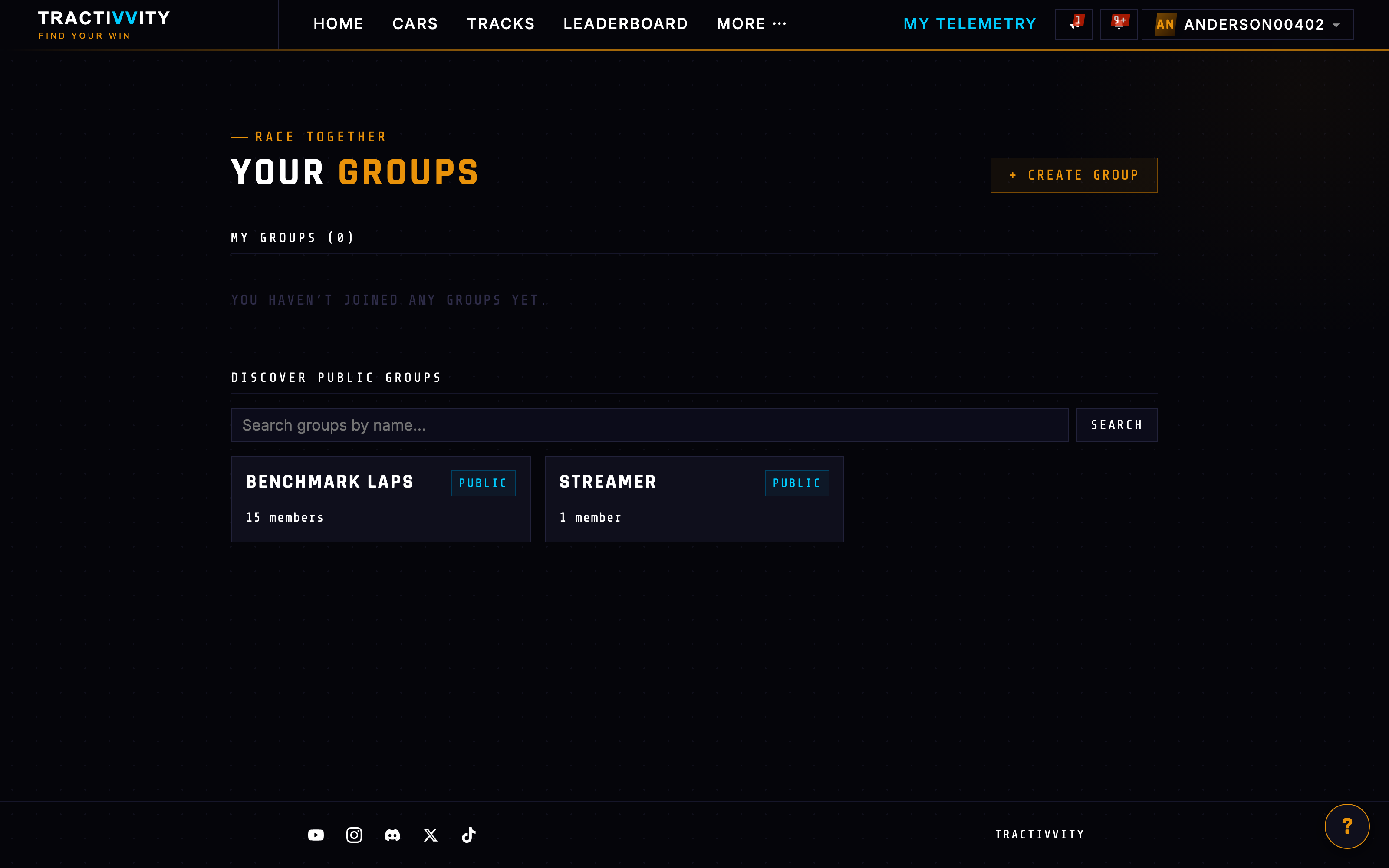
/groups — how drivers who race together organise. Join a public group in a click or take an invite to a private one. Inside, a group has its own lap feed, leaderboard, shared laps, shared benchmarks, shared tunes and races. Covered properly under Community.
Tuning BASIC
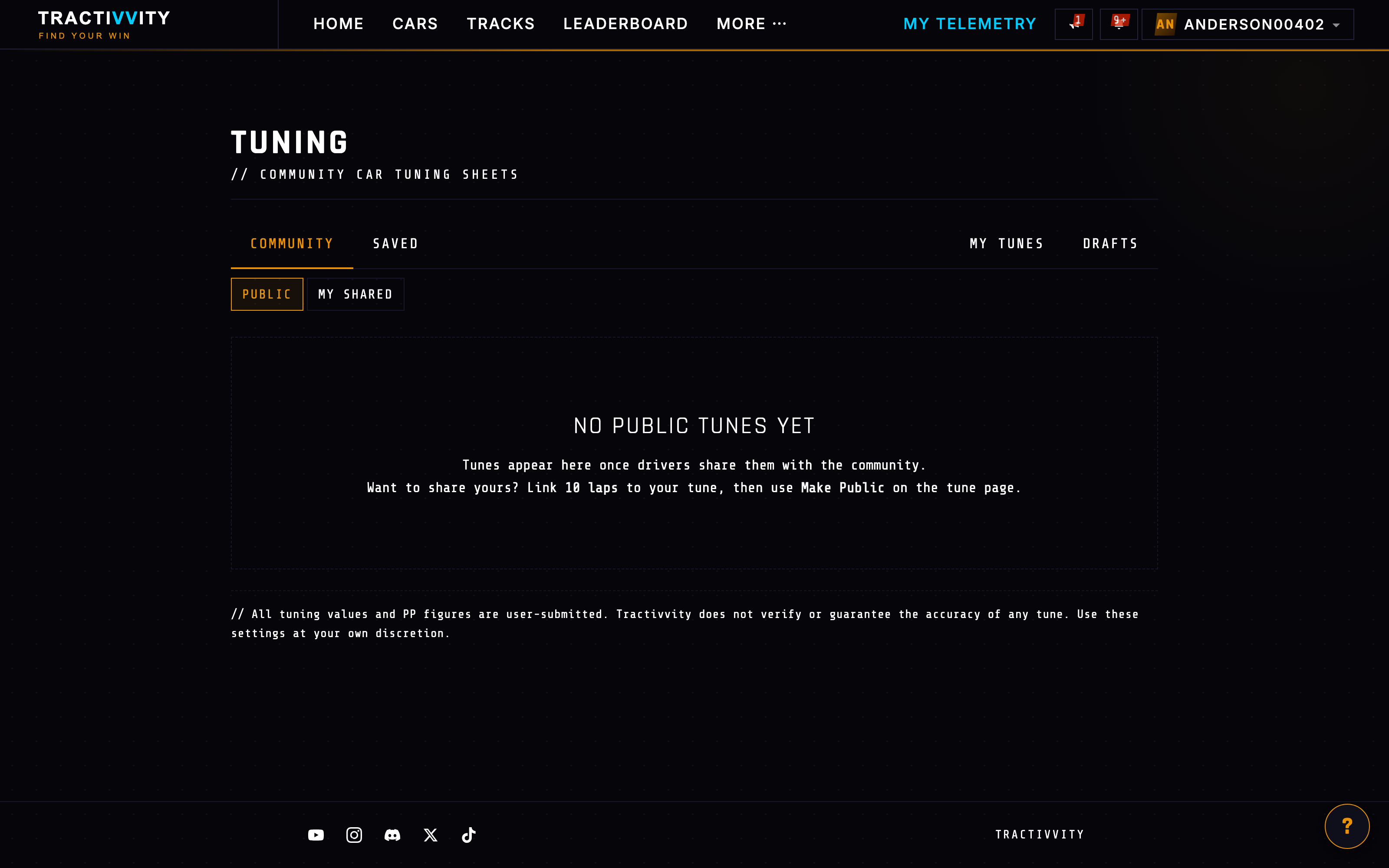
/tunes — the shared setup library. Browse what others have published, save one, run it and rate it from your own laps. You can also duplicate any tune into a private draft, work on it out of sight and publish when it is ready.
Racecraft BASIC PRO · Your Driving
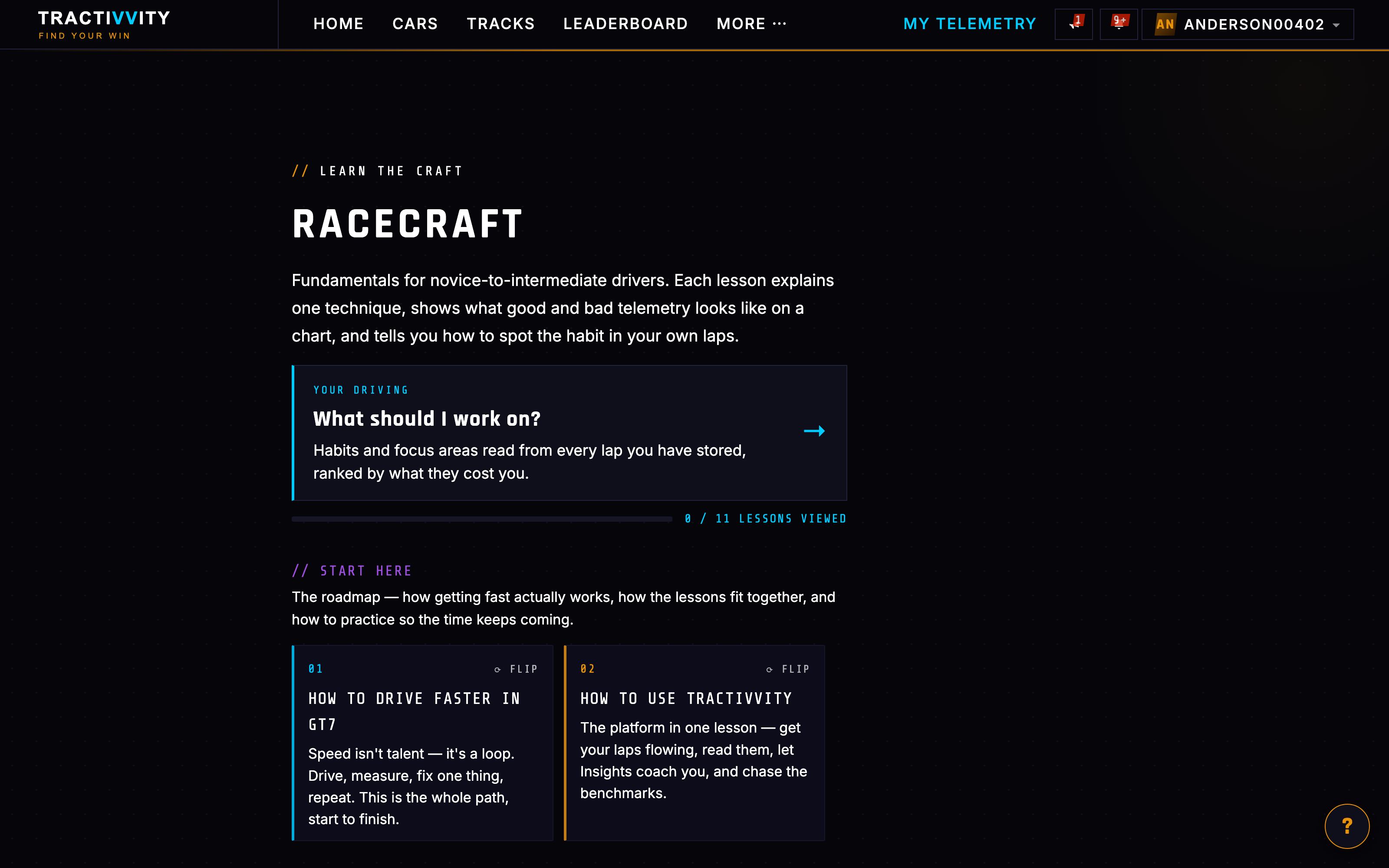
/racecraft — the teaching side, and it splits cleanly in two.
The lessons are open to everyone. Written explanations of technique — trail braking, throttle rotation, managing a moving reference — each paired with a benchmark lap you can replay to watch it done properly. Read them all on a free account; nothing is held back.
Your Driving is the Pro half. At /racecraft/driver, the same ideas get turned on your own laps: which of these habits you actually have, how often, on which corners, and what each one costs you in tenths. The page opens for everyone, but the findings arrive blurred behind an unlock — you can see the shape of what it worked out without being able to read it.
Which is a fair description of the line Tractivvity draws generally: knowing what good technique is is free. Being told which bits of it you are getting wrong, on your own laps is the paid part.
My Telemetry BASIC
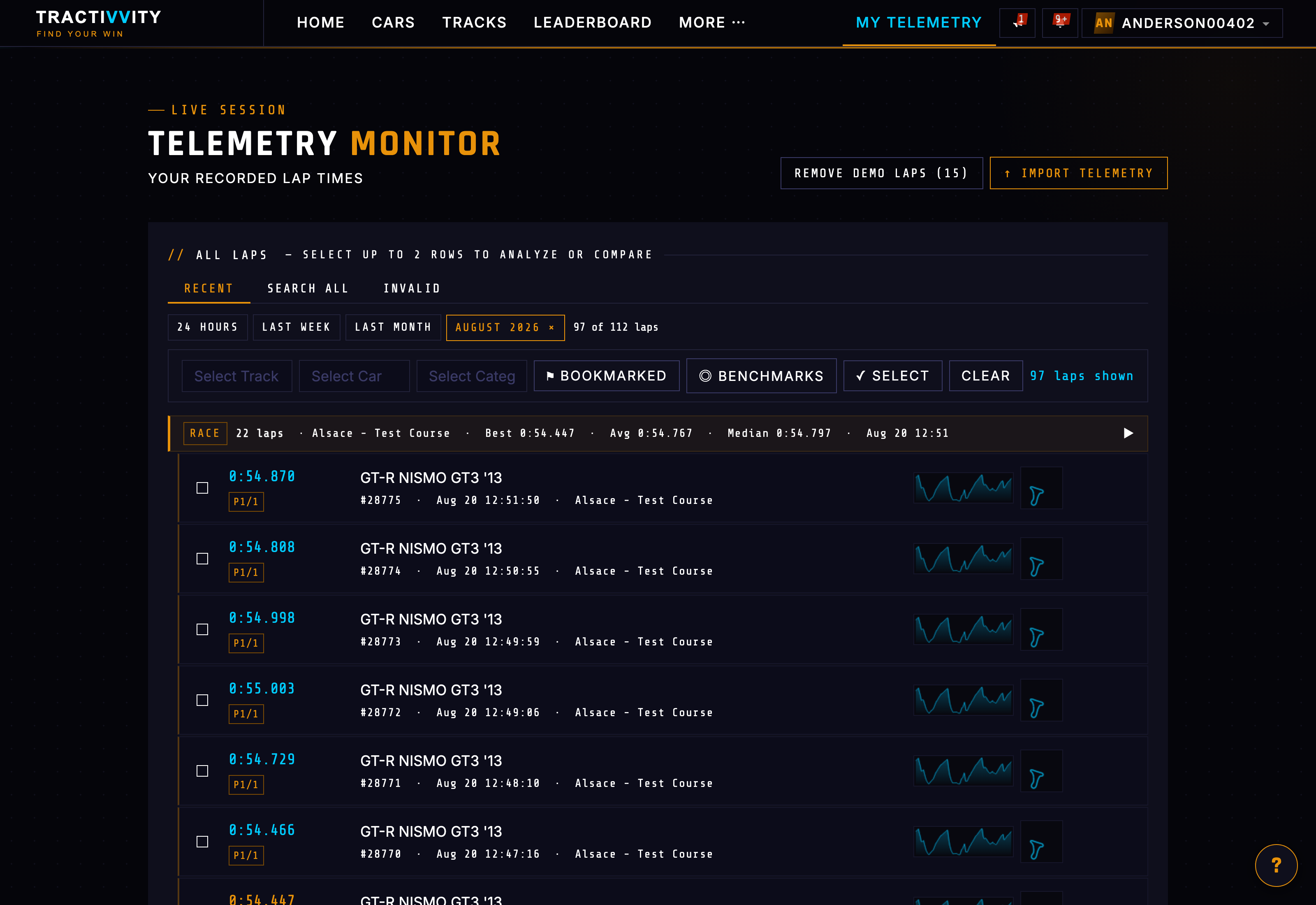
/telemetry — your own lap store, and the one nav item picked out in cyan. Everything you have recorded, filtered by period, track, car or category, with tabs for recent laps, a full search and the invalid laps that were thrown out. It is also where you bookmark laps, mark benchmarks, import telemetry and clear out demo laps.
That is the whole nav. The next section takes the single most important destination — what happens when you open a lap — and goes through it properly.